
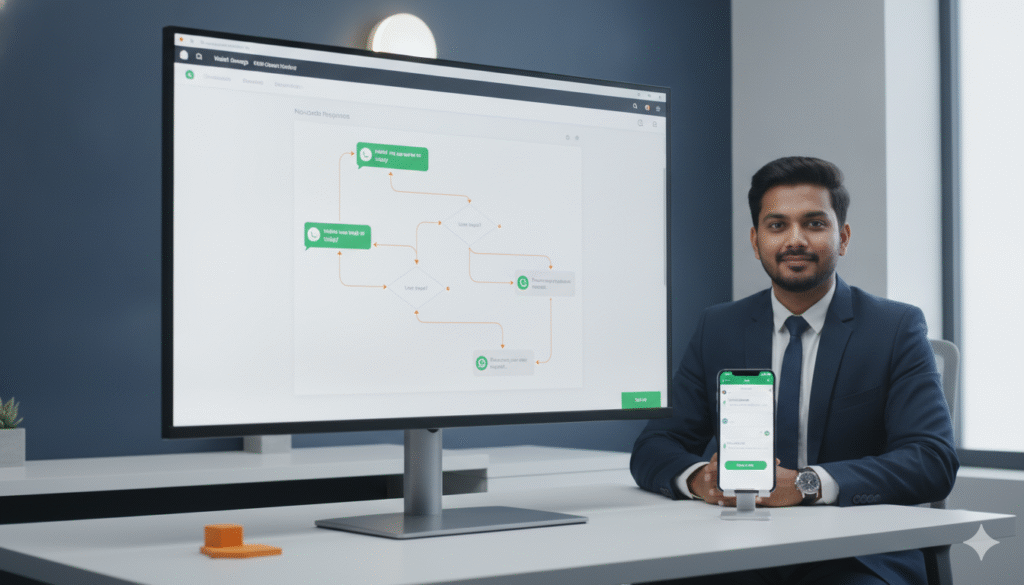
Three years ago building a WhatsApp chatbot for your business required a developer, weeks of technical work, and a budget that put it out of reach for most small and medium businesses in Bhubaneswar.
In 2026 that has completely changed.
Today any business owner in Bhubaneswar — regardless of technical knowledge, regardless of budget, and regardless of whether they have ever written a single line of code in their life — can build a fully functional WhatsApp chatbot that responds to customer enquiries instantly, qualifies leads automatically, books appointments without human intervention, and follows up with prospects consistently over days and weeks.
The no-code chatbot revolution has made what was once an enterprise-only technology accessible to every business — from a single-doctor clinic in Patia to a growing real estate consultancy in Chandrasekharpur to a digital marketing agency in Saheed Nagar.
In this complete guide we cover everything you need to know about building a WhatsApp chatbot without coding in 2026 — what a WhatsApp chatbot actually is, why your business in Bhubaneswar needs one, the best no-code tools available in India, a step-by-step process for building your first chatbot, real examples of chatbot conversations for different business types, and the mistakes to avoid that cost businesses their WhatsApp API access.
What Is a WhatsApp Chatbot and How Does It Work?
A WhatsApp chatbot is an automated conversation program that runs on your WhatsApp Business API number and responds to customer messages automatically — without any human involvement — based on pre-built conversation flows and rules you define.
When a customer sends a message to your WhatsApp business number the chatbot reads the message, identifies what the customer wants, and responds with the appropriate reply — whether that is answering a question, collecting information, sharing a document, booking an appointment, or routing the conversation to a human team member.
Modern no-code WhatsApp chatbots in 2026 work through visual flow builders — drag and drop interfaces where you design your conversation flows by connecting blocks representing messages, conditions, decisions, and actions. You do not write code. You design conversations visually — just like drawing a flowchart — and the platform translates your design into a working chatbot automatically.
Here is a simple example of how a WhatsApp chatbot conversation might work for a dental clinic in Bhubaneswar:
Customer sends: “Hi I want to book an appointment”
Chatbot responds: “Hello! Welcome to [Clinic Name] in Bhubaneswar. I would be happy to help you book an appointment. Which service are you looking for? Please tap one of the options below:” [Button 1: Dental Checkup] [Button 2: Teeth Cleaning] [Button 3: Dental Implants] [Button 4: Other Treatment]
Customer taps: “Dental Implants”
Chatbot responds: “Great choice. Our dental implant consultations are available Monday to Saturday. Which day works best for you?” [Button 1: This Week] [Button 2: Next Week]
Customer taps: “This Week”
Chatbot responds: “We have the following slots available this week. Please select your preferred time:” [Lists available slots]
Customer selects a slot.
Chatbot responds: “Perfect. Your consultation for dental implants is confirmed for [Day] at [Time] at [Clinic Name], [Address], Bhubaneswar. You will receive a reminder 24 hours before your appointment. Is there anything else I can help you with?”
This entire conversation happens automatically — at any hour, without any staff involvement — and results in a booked appointment that appears directly in the clinic’s calendar.
Why Your Business in Bhubaneswar Needs a WhatsApp Chatbot in 2026
You Are Losing Leads Right Now Because of Slow Response Times
Research consistently shows that responding to a lead within 5 minutes makes you 9 times more likely to convert them than responding after 30 minutes. Most businesses in Bhubaneswar are responding to WhatsApp enquiries hours later — if at all on evenings and weekends.
A WhatsApp chatbot responds to every enquiry within seconds regardless of the time of day. A lead that comes in at 11 PM on a Sunday gets an immediate, professional, helpful response — not silence until Monday morning when they have already chosen a competitor.
Your Team Is Spending Too Much Time on Repetitive Questions
What are your most commonly asked WhatsApp questions? Pricing. Location. Business hours. Service details. Appointment availability. These same questions are asked dozens of times per day by different customers — and each one requires a team member to manually type a response.
A WhatsApp chatbot handles all of these repetitive enquiries automatically — freeing your team to focus on complex conversations, relationship building, and high-value activities that actually require human intelligence and judgment.
You Cannot Scale Manual WhatsApp Communication
As your business in Bhubaneswar grows the volume of WhatsApp messages you receive grows with it. At some point manual message management becomes a full-time job — or multiple full-time jobs. A WhatsApp chatbot scales infinitely. It handles 1 conversation or 1,000 conversations simultaneously with equal speed and quality — without hiring additional staff.
Your Competitors Are Already Using Chatbots
Businesses across Bhubaneswar are deploying WhatsApp chatbots right now. Real estate developers are qualifying leads automatically. Dental clinics are booking appointments without receptionist involvement. Coaching institutes are handling admission enquiries at scale. The businesses not using chatbot automation are providing a slower, less consistent customer experience than those that are — and losing customers as a result.
What You Need Before Building a WhatsApp Chatbot
Before you can build and deploy a WhatsApp chatbot there is one fundamental requirement: WhatsApp Business API access.
You cannot build a proper chatbot on the regular WhatsApp Business App. The chatbot capability — automated responses, conversation flows, interactive buttons, broadcasts — is available only through the WhatsApp Business API.
To get WhatsApp Business API access you need to work with an authorized WhatsApp Business Solution Provider. In Bhubaneswar Prominds Digital is an authorized provider that sets up API access for local businesses — handling the complete verification, registration, and setup process.
Once you have API access you connect it to a no-code chatbot platform and build your chatbot flows visually through the platform’s interface.
The Best No-Code WhatsApp Chatbot Platforms for Indian Businesses in 2026
There are several no-code platforms available for building WhatsApp chatbots. Here are the most relevant options for businesses in Bhubaneswar:
Wati
Wati is one of the most popular WhatsApp Business API platforms in India. It offers a visual no-code chatbot builder, team inbox management, broadcast messaging, and integration with common CRM tools. The interface is clean and intuitive — making it one of the easiest platforms for business owners with no technical background to get started with.
Wati is particularly popular among small to medium businesses in India because of its affordable pricing, strong customer support, and India-specific features including support for Indian payment gateways and regional language content.
Interakt
Interakt is another strong India-focused WhatsApp Business API platform offering no-code chatbot building, team inbox, broadcast campaigns, and e-commerce integrations including Shopify and WooCommerce. It is particularly well suited for retail and e-commerce businesses in Bhubaneswar wanting to automate order notifications, cart recovery, and customer support.
AiSensy
AiSensy is a growing Indian WhatsApp marketing and automation platform with a visual chatbot builder, broadcast tools, and detailed analytics. It is known for its competitive pricing and strong broadcast campaign features — making it popular among businesses primarily focused on WhatsApp marketing campaigns rather than complex conversation automation.
Respond.io
Respond.io is a more advanced platform suitable for businesses with complex multi-channel communication needs. It supports WhatsApp Business API alongside other messaging channels and offers sophisticated automation and CRM integration capabilities. It is more appropriate for larger businesses or those with technical resources to configure more complex setups.
Yellow.ai
Yellow.ai is one of India’s leading conversational AI platforms offering advanced AI-powered chatbot capabilities beyond basic rule-based flows. It is more enterprise-focused and suitable for businesses wanting sophisticated natural language understanding rather than simple menu-driven conversation flows.
For most small and medium businesses in Bhubaneswar starting their first WhatsApp chatbot we recommend Wati or Interakt — they offer the best combination of ease of use, features, India-specific support, and affordable pricing for businesses at this scale.
Step-by-Step Guide — How to Build Your First WhatsApp Chatbot Without Coding
Here is the complete process for building your first WhatsApp chatbot — from initial planning to going live.
Step 1 — Define Your Chatbot’s Primary Purpose
Before opening any platform decide exactly what your chatbot needs to do. The biggest mistake businesses in Bhubaneswar make when building their first chatbot is trying to make it do everything at once — lead qualification, appointment booking, FAQ answering, order tracking, customer support, and broadcasting — before any of it is working properly.
Choose one primary purpose for your first chatbot:
Lead qualification — collecting information from new enquiries and routing qualified leads to your sales team
Appointment booking — guiding customers through selecting a service, choosing a date and time, and confirming a booking
FAQ handling — automatically answering the most common questions your business receives
Order and delivery updates — sending automated updates to customers about their orders
Feedback collection — automatically requesting and collecting customer feedback after a purchase or service
Starting with one focused purpose ensures your first chatbot is built well and delivers clear value before you expand its capabilities.
Step 2 — Map Your Conversation Flow Before Building
Before touching the platform grab a pen and paper — or use a free tool like draw.io or Miro — and map out your conversation flow as a diagram.
Your conversation flow should define:
The entry point — What triggers the chatbot? A customer sending any message? A specific keyword? A click-to-WhatsApp ad?
The opening message — What does the chatbot say first? This should greet the customer warmly, identify your business, and give the customer clear options for what they can do.
The decision branches — Based on what the customer selects or types, what different paths does the conversation take? Draw each branch separately.
The data collection points — Where in the conversation does the chatbot collect specific information from the customer — name, phone number, requirement, budget, location?
The conversion point — Where does the conversation result in the desired outcome — a booked appointment, a qualified lead routed to your team, a support ticket raised?
The human handover point — At what point does the conversation move from the chatbot to a human agent? What triggers this handover?
Mapping this before building saves enormous time and prevents you from having to completely rebuild your flows after you realize mid-build that the structure does not make sense.
Step 3 — Set Up Your Platform Account
Sign up for your chosen no-code chatbot platform — Wati, Interakt, or your preferred option. Connect your WhatsApp Business API number to the platform. This connection is what allows messages sent to your WhatsApp business number to be received, processed, and responded to by the chatbot.
Your platform provider — or your WhatsApp Business Solution Provider like Prominds Digital — will guide you through this connection process. Once connected you will be able to see incoming messages in the platform’s inbox and begin building your automation.
Step 4 — Build Your Welcome Message and Main Menu
The first thing to build is your welcome message — the message automatically sent to every new customer who contacts your business for the first time.
Your welcome message should:
- Greet the customer warmly
- Identify your business and location
- Tell the customer what the chatbot can help with
- Give them clear options to select from — using interactive buttons where possible
Example welcome message for a real estate consultancy in Bhubaneswar:
“Hello [Customer Name] 👋 Welcome to [Consultancy Name] — Bhubaneswar’s trusted property consultancy. How can we help you today? Please select an option:
[Button 1] 🏠 Buy a Property
[Button 2] 💰 Sell a Property
[Button 3] 🏘️ Rental Properties
[Button 4] 📞 Speak to a Consultant”
Each button press triggers a different conversation branch that you build separately.
Step 5 — Build Each Conversation Branch
For each option in your main menu build the complete conversation branch — the sequence of messages, questions, and responses that guides the customer toward the desired outcome for that path.
Here is an example of the “Buy a Property” branch for a real estate consultancy in Bhubaneswar:
Message 1: “Great — let us help you find your perfect property in Bhubaneswar. What type of property are you looking for?”
[Button 1] Apartment/Flat
[Button 2] Independent House
[Button 3] Plot/Land
[Button 4] Commercial Property
Message 2 (after selecting Apartment/Flat): “What configuration are you looking for?”
[Button 1] 1 BHK
[Button 2] 2 BHK
[Button 3] 3 BHK
[Button 4] 4 BHK Plus
Message 3: “What is your approximate budget range?”
[Button 1] Below Rs. 30 Lakhs
[Button 2] Rs. 30 to 60 Lakhs
[Button 3] Rs. 60 Lakhs to 1 Crore
[Button 4] Above 1 Crore
Message 4: “Which area of Bhubaneswar are you interested in?”
[Button 1] Patia
[Button 2] Chandrasekharpur
[Button 3] Tamando/Khandagiri
[Button 4] Other Area — Please Type
Message 5 (data collection): “Almost done! Please share your name and the best time for our consultant to call you.”
[Text input field]
Final message: “Thank you [Name]! Our consultant will call you at your preferred time to discuss the best available properties matching your requirements in Bhubaneswar. In the meantime here is our latest property portfolio: [Link]. Is there anything else I can help you with?”
This entire flow collects the buyer’s property type, configuration, budget, location preference, name, and contact preference — giving your sales team everything they need for a productive first call — all automatically.
Step 6 — Set Up Your Human Handover Triggers
Define the specific situations where the chatbot should hand the conversation over to a human agent:
- Customer types something the chatbot does not recognize
- Customer explicitly asks to speak to a person
- Conversation reaches a certain complexity level
- High-value lead criteria are met requiring immediate human attention
When a handover is triggered the chatbot should send a message informing the customer that a team member will be with them shortly — and the conversation should appear in your team’s inbox for immediate human response.
Step 7 — Create and Submit Message Templates
For any messages your chatbot sends as the first contact — outbound messages initiated by your business rather than responses to a customer message — you need pre-approved Meta message templates.
In your platform’s template manager create your outbound message templates — welcome messages, follow-up sequences, appointment reminders, broadcast messages — and submit them for Meta approval. Approval typically takes 24 to 48 hours.
Your platform’s template editor guides you through the required format for each template type — ensuring your submissions meet Meta’s content requirements and are approved quickly.
Step 8 — Test Every Conversation Path Thoroughly
Before going live test every single conversation path by sending messages to your own WhatsApp number and walking through each flow as a customer would.
Specifically test:
- Every button option in every menu
- What happens when a customer types something unexpected
- The human handover trigger
- All outbound template messages
- The data collection steps — does the information save correctly?
- The end-to-end flow from first message to final outcome
Common issues to catch in testing include:
- Buttons not appearing correctly on certain devices
- Flows getting stuck when customers type instead of selecting buttons
- Data not saving or routing to the right team member
- Handover not triggering correctly
Fix every issue you find in testing before going live. It is far better to discover problems in testing than after real customers experience them.
Step 9 — Integrate With Your Other Business Systems
Connect your WhatsApp chatbot to the other tools your business uses:
CRM Integration — Every lead captured by your chatbot automatically creates a new contact record in your CRM with all collected information populated. No manual data entry required.
Calendar Integration — Appointment bookings made through your chatbot sync directly to your calendar or booking system — no manual confirmation or scheduling required.
Google Sheets — For simpler setups many businesses route chatbot data to a Google Sheet for easy team access without a full CRM integration.
Email Notifications — Set up email alerts to notify relevant team members immediately when a high-value lead is captured or a human handover is triggered.
Step 10 — Launch and Monitor
With testing complete and integrations set up you are ready to go live. Update your website, Google Business Profile, social media profiles, and marketing materials with your WhatsApp API number. Run click-to-WhatsApp ads on Facebook and Instagram to drive initial traffic to your chatbot.
In the first two weeks after launch monitor your chatbot performance closely:
- What percentage of conversations are completing successfully?
- Where are customers dropping off or getting stuck?
- What unexpected inputs are customers sending that the chatbot is not handling?
- How many conversations are triggering human handover and why?
Use these insights to continuously refine your conversation flows — making them more intuitive, more comprehensive, and more effective at converting conversations into the outcomes your business needs.
Real WhatsApp Chatbot Examples for Bhubaneswar Businesses
For a Coaching Institute
Trigger: Student or parent sends any message to the WhatsApp number
Chatbot flow:
Welcome → Select Course Interest (JEE/NEET/Foundation/Other) → Select Class (9th/10th/11th/12th) → Current School Performance Level → Collect Name and Phone Number → Share Course Details PDF → Offer to Book Free Demo Class → Confirm Demo Class Booking → Send Confirmation Message
Result: Every admission enquiry is automatically qualified, course-matched, and converted into a booked demo class — without any staff involvement.
For a Restaurant
Trigger: Customer taps Click-to-WhatsApp button on Instagram ad
Chatbot flow:
Welcome → Select Action (Book Table/Order Online/View Menu/Special Offers) → If Book Table: Select Date, Party Size, Time Slot → Collect Name and Phone → Confirm Reservation → Send Reminder 2 Hours Before
Result: Table reservations booked automatically 24 hours a day — including late nights when no staff are available to answer calls.
For a Digital Marketing Agency
Trigger: New lead from website contact form
Chatbot flow:
Welcome → Business Type → Current Monthly Marketing Budget → Biggest Marketing Challenge → Services Interested In (SEO/Google Ads/Social Media/WhatsApp API/All) → Timeline for Starting → Collect Name and Designation → Route Hot Leads to Senior Consultant → Route Cold Leads to Nurture Sequence
Result: Every new enquiry is automatically qualified and routed — hot leads reaching a senior consultant within minutes, cold leads entering a nurturing sequence automatically.
Common WhatsApp Chatbot Mistakes to Avoid
Building too complex a chatbot first
Your first chatbot should be simple and focused. A chatbot that tries to do 10 things and does none of them well is far less valuable than one that does a single thing — lead qualification or appointment booking — exceptionally well. Start simple and expand over time.
Making the conversation feel robotic
Chatbot messages that feel mechanical and impersonal create a poor customer experience. Write your chatbot messages in a warm, conversational tone that reflects your brand’s personality. Use the customer’s name. Use natural language. Add appropriate emojis where suitable. Make the conversation feel as human and helpful as possible.
Not testing on mobile
Over 95% of WhatsApp users in India use the app on their smartphone. Always test your chatbot flows on a mobile device — not just on desktop — to ensure buttons display correctly, messages format properly, and the conversation experience is smooth on a small screen.
Ignoring the human handover
A chatbot without a clear, reliable human handover mechanism frustrates customers whose needs go beyond what the automation can handle. Always build a simple and clearly triggered path to a human agent — and make sure your team knows how to pick up these conversations promptly.
Not updating your chatbot regularly
Your products, services, pricing, and processes change over time. A chatbot that references outdated information — old pricing, discontinued services, changed business hours — creates confusion and erodes customer trust. Schedule a monthly review of your chatbot content to keep it accurate and current.
Violating WhatsApp’s messaging policies
WhatsApp has strict policies about the types of messages that can be sent through the API. Sending promotional content outside approved template formats, messaging customers who have not opted in, or using the platform for spam can result in your WhatsApp number being banned. Always ensure your chatbot is built and operated in compliance with WhatsApp’s Business Policy.
How Much Does a WhatsApp Chatbot Cost for a Business in Bhubaneswar?
The cost of a WhatsApp chatbot for your business in Bhubaneswar depends on several factors:
No-code platform subscription:
Most no-code platforms charge a monthly subscription fee based on the number of conversations or active contacts. For a small to medium business in Bhubaneswar typical platform costs range from Rs. 2,000 to Rs. 8,000 per month.
WhatsApp API and Meta conversation charges:
WhatsApp Business API access has associated Meta conversation charges — a small per-conversation fee for business-initiated messages. User-initiated conversations are free for the first 1,000 per month. For most businesses in Bhubaneswar total Meta charges range from Rs. 500 to Rs. 5,000 per month depending on message volume.
Setup and chatbot building:
If you build your chatbot yourself through a no-code platform there is no additional setup cost beyond the platform subscription. If you work with Prominds Digital to build your chatbot professionally — including conversation flow design, template creation and submission, integration setup, and testing — setup costs range from Rs. 10,000 to Rs. 30,000 depending on complexity.
Total monthly cost for most Bhubaneswar businesses:
Rs. 3,000 to Rs. 15,000 per month for platform and Meta charges combined — representing exceptional ROI when measured against the lead generation and staff time savings the chatbot delivers.
How Prominds Digital Helps Bhubaneswar Businesses Build WhatsApp Chatbots
At Prominds Digital we design, build, and manage WhatsApp chatbots for businesses across Bhubaneswar and Odisha as part of our WhatsApp Business API service offering.
We handle everything — conversation flow design based on your specific business process, platform selection and setup, Meta template creation and approval, chatbot building and testing, CRM and system integration, and team training on managing the human handover conversations.
For business owners in Bhubaneswar who want the power of a WhatsApp chatbot without the time investment of learning a new platform and building flows from scratch, we offer a complete done-for-you service that gets your chatbot live and generating results within 10 to 14 business days.
Frequently Asked Questions
Q: Do I really need to know how to code to build a WhatsApp chatbot in 2026?
No. The no-code platforms available in 2026 — Wati, Interakt, AiSensy, and others — allow anyone to build fully functional WhatsApp chatbots through visual drag-and-drop interfaces without writing a single line of code. If you can design a flowchart you can build a WhatsApp chatbot on these platforms.
Q: Can I build a WhatsApp chatbot on the free WhatsApp Business App?
No. Proper chatbot functionality — automated conversation flows, interactive buttons, broadcasts, and CRM integration — requires WhatsApp Business API access. The free WhatsApp Business App only supports very basic auto-reply features that are not sufficient for real chatbot functionality.
Q: How long does it take to build a WhatsApp chatbot for my business?
A simple chatbot with 3 to 5 conversation flows can be built in 2 to 3 days on a no-code platform once your WhatsApp Business API is set up. More complex chatbots with multiple flows, extensive branching, and CRM integration take 1 to 2 weeks to build and test properly.
Q: What happens if a customer asks something my chatbot cannot answer?
Well-designed chatbots always have a fallback for unrecognized inputs — typically a message acknowledging that the question is outside the chatbot’s scope and offering to connect the customer with a human team member. The key is ensuring this fallback is smooth and that your team is set up to handle these handover conversations promptly.
Q: Can my WhatsApp chatbot communicate in Odia or Hindi?
Yes. WhatsApp supports Unicode which means your chatbot can send and receive messages in Odia, Hindi, and any other Indian language. You can build conversation flows entirely in regional languages if your target audience in Bhubaneswar prefers regional language communication.
Q: Will building a WhatsApp chatbot violate WhatsApp’s terms of service?
Not if you build it correctly using official WhatsApp Business API access through an authorized solution provider and follow WhatsApp’s Business Policy regarding message content, opt-in requirements, and approved template usage. Building chatbots on unofficial or third-party tools that access WhatsApp without API authorization does violate WhatsApp’s terms and risks permanent number banning.
Ready to Build Your WhatsApp Chatbot in Bhubaneswar?
In 2026 building a WhatsApp chatbot for your business is no longer a complex, expensive, developer-dependent project. It is an accessible, affordable, and genuinely transformative tool that any business in Bhubaneswar can deploy — with the right platform and the right guidance.
The businesses deploying WhatsApp chatbots now are responding to every lead in seconds, qualifying buyers automatically, booking appointments without staff involvement, and scaling their customer communication without scaling their headcount. The businesses not using chatbots are still typing the same answers to the same questions manually — while their chatbot-enabled competitors pull further ahead every single month.
Get in touch with Prominds Digital today for a free WhatsApp chatbot consultation — and find out exactly what a chatbot could do for your business in Bhubaneswar.
📞 Call us: 9090090150
📧 Email: hello@prominds.digital
🌐 Visit: prominds.digital
📍 A-141, 2nd Floor, Saheed Nagar, Bhubaneswar, Odisha
Prominds Digital — WhatsApp Business API and Chatbot Solutions for Businesses in Bhubaneswar, Odisha. Your Growth. Our Mission.