
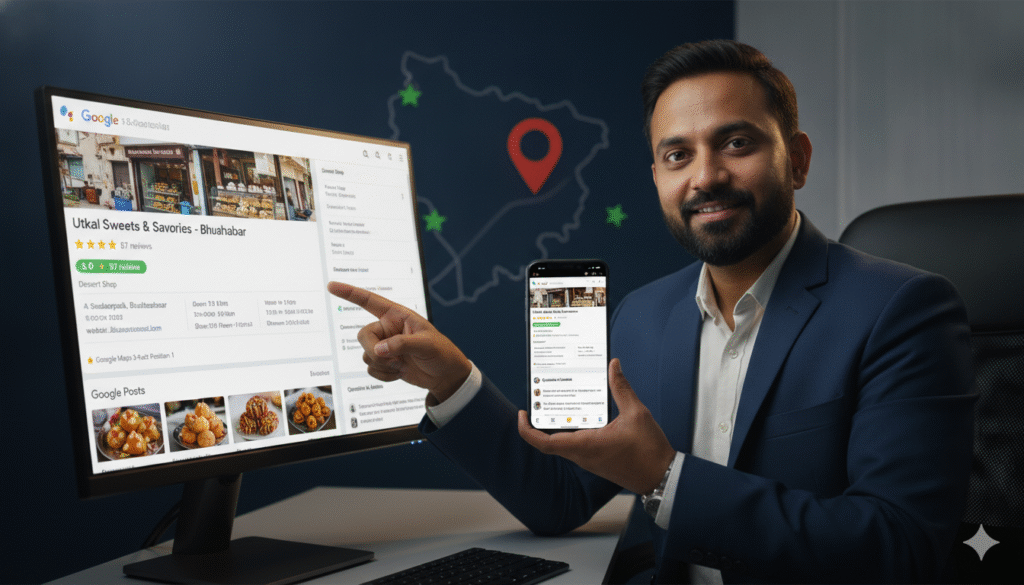
If you run a local business in Bhubaneswar and you want more customers finding you on Google — this is the single most important guide you will read this year.
Not because Google Business Profile optimization is complicated. But because it is the highest-impact, lowest-cost digital marketing activity available to any local business in Bhubaneswar — and the vast majority of businesses in the city are either not doing it at all or doing it poorly enough that they are leaving enormous amounts of potential business on the table every single day.
Here is the reality of local search in Bhubaneswar in 2026. When someone searches “dentist near me” or “best restaurant in Saheed Nagar” or “digital marketing agency Bhubaneswar” or “car service center near me” — the first thing they see is not a list of websites. It is the Google Maps 3-Pack — a box showing the top 3 local businesses on a map with their name, rating, address, photos, and opening hours.
The businesses in those top 3 positions get the overwhelming majority of clicks, calls, and visits from that search. The businesses below position 3 — or not appearing at all — get almost nothing.
Your Google Business Profile is what determines whether you are in those top 3 positions or not. And optimizing it fully — completely, correctly, and consistently — is the single most direct path to appearing there.
This complete guide covers every aspect of Google Business Profile optimization for businesses in Bhubaneswar in 2026 — step by step, in plain language, with specific recommendations you can implement today.
What Is Google Business Profile and Why Does It Matter So Much?
Google Business Profile — formerly called Google My Business — is a free tool provided by Google that allows businesses to manage how they appear in Google Search and Google Maps results.
When your Google Business Profile is set up and optimized correctly it creates a rich listing that appears when people search for your business or for businesses like yours in Bhubaneswar. This listing shows your business name, category, address, phone number, website, opening hours, photos, reviews, and recent posts — giving potential customers everything they need to decide whether to contact you before they even visit your website.
For local businesses in Bhubaneswar your Google Business Profile is arguably more important than your website for generating new customer enquiries. Here is why:
When someone searches for a local service in Bhubaneswar they typically see the Maps 3-Pack before they see any organic website results. The Maps 3-Pack appears above all organic results and captures the majority of local search clicks. A customer who sees your business in the Maps 3-Pack with a strong rating and many reviews will often call directly from the listing — without ever visiting your website.
This means your Google Business Profile is your most visible online asset for local search — and optimizing it is your highest-priority local SEO activity.
Step 1 — Claim and Verify Your Google Business Profile
Before you can optimize your Google Business Profile you need to claim and verify it.
Claiming Your Profile
Go to business.google.com and search for your business. If your business already has a listing — created automatically by Google or by a previous owner — claim it by clicking “Claim this business” and following the verification process. If no listing exists create a new one by clicking “Add your business to Google.”
Verifying Your Profile
Google requires verification to confirm you are the legitimate owner of the business before giving you full control of the listing. Verification methods available for businesses in Bhubaneswar include:
Postcard verification — Google mails a postcard with a verification code to your business address. This typically takes 5 to 14 days. Once received enter the code in your Business Profile dashboard to complete verification.
Phone verification — Available for some businesses. Google calls or texts a verification code to your registered business phone number.
Email verification — Available for some businesses. Google sends a verification code to your registered business email.
Video verification — A newer method where you record a short video showing your business location, signage, and equipment to verify your physical presence.
Instant verification — Available if your business website is already verified through Google Search Console.
Completing verification is non-negotiable. An unverified Google Business Profile has limited functionality and will not rank competitively in Google Maps results. Verify your profile before doing anything else.
Step 2 — Complete Every Section of Your Profile
A fully completed Google Business Profile ranks significantly better than a partially completed one. Google rewards profiles that provide comprehensive, accurate information to searchers. Here is every section you need to complete:
Business Name
Enter your exact official business name — nothing more and nothing less. Do not add keywords, locations, or marketing language to your business name. “Prominds Digital” is correct. “Prominds Digital — Best Digital Marketing Agency in Bhubaneswar” is a violation of Google’s guidelines and risks suspension of your listing.
Consistency is critical. Your business name must appear identically on your Google Business Profile, your website, all social media profiles, and all business directory listings. Even minor variations — “Prominds Digital” versus “ProMinds Digital” — weaken your local citation signals.
Business Category
Your primary business category is one of the most important ranking signals in your entire Google Business Profile. Google uses your category to determine which searches your business is relevant for — so choosing the most accurate and specific category available is essential.
Research the categories available for your business type and choose the most specific accurate option. A dental clinic should choose “Dentist” not just “Health.” A digital marketing agency should choose “Marketing Agency” or “Internet Marketing Service” not just “Business Service.” A restaurant should choose the specific cuisine type rather than just “Restaurant.”
You can add up to 9 additional secondary categories to cover other services your business offers. Use these to capture additional relevant searches — a dental clinic might add “Cosmetic Dentist,” “Dental Implants Periodontist,” and “Pediatric Dentist” as secondary categories if these are services they offer.
Business Description
Your business description — up to 750 characters — appears on your profile and is one of the few places you can include keyword-rich content directly in your listing. Write a compelling, informative description that naturally includes your primary keywords and location.
A strong business description for a digital marketing agency in Bhubaneswar might read:
“Prominds Digital is Bhubaneswar’s leading full-service digital marketing agency and official Google and Meta Partner. We help businesses across Odisha grow online through SEO, Google Ads, Social Media Marketing, WhatsApp Business API, Branding, and WordPress Development. Based in Saheed Nagar, Bhubaneswar, our dedicated in-house team delivers transparent, results-driven digital marketing tailored to the local Odisha market. Free consultation available.”
This description naturally includes “Bhubaneswar,” “Odisha,” key service terms, and a call to action — all within the character limit.
Address
Enter your complete, accurate business address including building name or number, street, area, city, state, and pincode. For a business in Bhubaneswar this should include the specific neighborhood — Saheed Nagar, Patia, Jaydev Vihar, Chandrasekharpur — as this helps Google show your listing for neighborhood-specific searches.
If your business serves customers at their location rather than at a physical premises — a home cleaning service, a delivery business, a freelance consultant — you can hide your address and set a service area instead. Specify the areas of Bhubaneswar you serve so Google can show your listing for searches from those areas.
Phone Number
Use a local Bhubaneswar phone number — ideally your primary business contact number — rather than a toll-free number. A local number reinforces your geographic relevance and is more trusted by local customers than an 800 number.
Ensure this number is active, answered promptly during business hours, and consistent with the phone number on your website and other online listings.
Website
Link to your business website. If you have dedicated landing pages for specific services — an SEO service page, a Google Ads service page — consider linking to the most relevant page rather than always linking to your homepage. This can improve the relevance signal for specific service-related searches.
Business Hours
Set your business hours accurately — including Saturday and Sunday hours where applicable. Many customers in Bhubaneswar specifically search for businesses open on weekends or in the evenings, and accurate hours are a trust signal that reduces the frustration of customers arriving to find a closed business.
Update your hours for public holidays and special occasions using the “Special hours” feature. Google prominently displays when a business is open or closed and inaccurate hours generate negative customer experiences that can lead to complaints and lower ratings.
Services and Products
The Services section allows you to list every specific service your business offers — with names, descriptions, and prices where applicable. This is an opportunity to include keyword-rich content that reinforces your relevance for specific service-related searches.
For a digital marketing agency in Bhubaneswar the services section should list every specific service individually — Search Engine Optimization, Google Ads Management, Meta Ads Management, Social Media Marketing, WhatsApp Business API, Branding and Design, WordPress Development, Content Marketing. Each service listing is an additional relevance signal that helps your profile appear for specific service searches.
For a dental clinic list every treatment individually — Dental Implants, Teeth Whitening, Root Canal Treatment, Orthodontics and Braces, Pediatric Dentistry, Dental Crowns, Cosmetic Dentistry. A patient searching specifically for “dental implants in Bhubaneswar” is more likely to find a clinic that has listed dental implants as a specific service.
Attributes
Attributes are specific characteristics of your business that Google allows you to highlight — things like “Women-led business,” “Wheelchair accessible,” “Free Wi-Fi,” “Outdoor seating,” “Accepts credit cards,” and many others depending on your business category.
Review all available attributes for your business category and enable every one that accurately describes your business. Attributes contribute additional relevance signals and help your listing appear for attribute-specific searches.
Step 3 — Upload High Quality Photos Consistently
Photos are one of the most impactful elements of your Google Business Profile for both ranking and conversion — and the area where most Bhubaneswar businesses are most significantly underperforming.
Google Business Profiles with photos receive significantly more clicks, calls, and direction requests than those without. Customers are far more likely to contact a business whose listing shows professional, appealing photos of their premises, team, and work than one with a blank or minimal photo gallery.
What Photos to Upload
Exterior photos — At least 3 photos of your business exterior from different angles and at different times of day. These help customers recognize your location when they arrive and confirm that your business is real and established.
Interior photos — Photos of your reception area, workspace, treatment rooms, dining area, or whatever indoor space is relevant to your business. These give customers a preview of the environment they will experience and build confidence before they visit.
Team photos — Photos of your team members — individually and as a group — build trust and human connection. Customers prefer dealing with businesses whose team they can see and recognize.
Product or service photos — High-quality photos of your products, your work, your treatments, or your services in action. A dental clinic should show before and after treatment results (with patient consent). A restaurant should show beautifully photographed food. A digital marketing agency should show their team working and their office environment.
Video — Google Business Profile supports short videos up to 30 seconds. A brief tour of your premises or a quick introduction from your team adds significant engagement value.
Photo Quality Guidelines
Every photo you upload should be high resolution — at least 720 pixels wide — well lit, in focus, and professionally composed. Blurry, poorly lit, or unprofessional photos can actually harm your listing by creating a negative first impression.
Use a good smartphone camera with natural lighting for most photos. For food photography, product photography, or team photos consider investing in a professional photographer — the quality improvement in customer-facing impressions is worth the cost.
How Many Photos to Upload
Aim for a minimum of 20 photos when first setting up your profile. Profiles with more photos consistently rank higher and receive more engagement than those with fewer. There is no maximum — the more high-quality photos you have the better.
More importantly continue adding new photos regularly — at least 2 to 4 new photos per month. Google rewards active profiles that are regularly updated with new content. Consistent new photo uploads signal to Google that your business is active and engaged.
Step 4 — Build and Manage Your Google Reviews
We have covered Google reviews in detail in a separate blog — but no Google Business Profile optimization guide would be complete without emphasizing how central reviews are to both your Maps ranking and your conversion rate.
Reviews are one of the top 3 factors Google uses to rank local businesses in Maps results — alongside relevance and distance. Businesses with more reviews, higher average ratings, and more recent reviews consistently rank higher than competitors with fewer reviews.
Your Review Generation System
Implement a systematic process for requesting reviews from every satisfied customer:
Create your direct Google review link from your Business Profile dashboard. Share this link with every customer via WhatsApp within 24 hours of a positive experience. Train every team member to make a personal review request at the appropriate moment. Place QR code review cards at every customer touchpoint. Follow up once with customers who received a request but have not yet reviewed.
Set a monthly review target and track your progress weekly. For most businesses in Bhubaneswar a target of 5 to 10 new reviews per month is achievable with a consistent process.
Responding to Reviews
Respond to every review — positive and negative — within 24 to 48 hours. Thoughtful, genuine responses to positive reviews reinforce customer loyalty and contribute additional keyword-rich content to your listing. Professional, constructive responses to negative reviews demonstrate accountability and often do more to build trust with potential customers than the negative review damages it.
Step 5 — Publish Google Posts Consistently
Google Posts — updates, offers, events, and announcements published directly on your Google Business Profile — are one of the most underused features available to businesses in Bhubaneswar.
Google Posts appear directly on your listing in search results and Google Maps — giving you additional visibility and a direct communication channel with potential customers who find your listing.
Types of Google Posts
Update posts — General updates about your business, team, services, or achievements. Share a new team member joining, a new service you are offering, a recent client success, or any news about your business.
Offer posts — Promotional offers with a specific validity period. A restaurant offering a weekend special, a clinic offering a free consultation, a digital marketing agency offering a free audit — all make excellent offer posts that drive direct enquiries.
Event posts — Upcoming events hosted by or associated with your business. A coaching institute hosting an open day, a real estate developer hosting a project launch event, a retail store hosting a sale — all are appropriate for event posts.
Product posts — Showcase specific products or services with images, descriptions, and prices. For businesses with multiple service offerings this is a powerful way to highlight specific options directly in your listing.
How Often to Post
Publish at least one Google Post per week. Regular posting signals to Google that your business is active and engaged — contributing to your overall listing quality and ranking. Posts expire after 7 days for update and offer posts — so weekly posting ensures you always have fresh content visible on your listing.
Keep posts concise — 150 to 300 words — with a clear call to action and a high-quality image. Posts with images receive significantly more engagement than text-only posts.
Step 6 — Optimize Your Questions and Answers Section
The Questions and Answers section of your Google Business Profile allows anyone to ask and answer questions about your business — and it is an underutilized opportunity for most businesses in Bhubaneswar.
Anyone can ask a question on your listing — and anyone can answer it. This means if you do not proactively manage this section potential customers may ask questions that go unanswered — or worse are answered incorrectly by other users.
Proactively Add Your Own FAQs
You can ask and answer your own questions on your listing. Identify the 10 to 15 questions your potential customers most commonly ask about your business and add them yourself — with your own accurate, helpful answers.
For a dental clinic in Bhubaneswar these might include:
Q: What are your consultation fees for dental implants?
A: Our dental implant consultation fee is Rs. [Amount]. During the consultation Dr. [Name] will assess your suitability for implants and provide a complete treatment plan with pricing. Call [Number] to book.
Q: Do you offer teeth whitening and how long does it take?
A: Yes we offer professional teeth whitening at [Clinic Name] in Bhubaneswar. The procedure typically takes 60 to 90 minutes and delivers immediate visible results. Call [Number] or message us on WhatsApp to book.
Q: Are you open on Saturdays?
A: Yes we are open Monday to Saturday from [Time] to [Time]. We are closed on Sundays. For emergencies please call [Number].
These proactively added Q and As provide valuable information to potential patients, include natural keyword phrases, and ensure accurate information is always the first answer visible on your listing.
Monitor and Answer New Questions
Check your Q and A section at least weekly and answer any new questions from users promptly. Unanswered questions create a negative impression and may be answered incorrectly by other users.
Step 7 — Set Up and Optimize Google Business Profile Messaging
Google Business Profile Messaging allows customers to send you a direct message from your Google listing — without needing to know your phone number or email address.
Enable messaging in your Business Profile settings and ensure messages are monitored and responded to promptly — ideally within an hour during business hours. Google tracks your response rate and response time and may display this information on your listing — rewarding businesses that respond quickly.
Set up an automatic welcome message that greets customers when they initiate a chat — acknowledging their message, setting expectations for response time, and providing helpful initial information.
Step 8 — Monitor Your Insights and Optimize Continuously
Google Business Profile provides detailed insights about how customers are finding and interacting with your listing — and monitoring these insights regularly allows you to continuously improve your optimization.
Key Insights to Monitor Monthly
Search queries — What search terms are people using to find your listing? This reveals which keywords are driving your profile views and may highlight valuable keyword opportunities you have not yet optimized for.
Views — How many times has your listing been viewed in Search and Maps? Track this month over month — a consistently growing view count indicates your optimization is working.
Customer actions — How many people clicked your website link, called your phone number, or requested directions from your listing? These are the most valuable actions — direct connections between your listing and potential customers.
Photo views — How many times have your photos been viewed? Compare your photo view count to competitor listings in your category to understand whether you need more or higher-quality photos.
Review performance — Track your total review count, average rating, and monthly new review volume. Set targets and monitor progress.
Use these insights to identify what is working and what needs improvement — and adjust your optimization strategy accordingly every month.
Step 9 — Build Local Citations for Consistent NAP
Your Google Business Profile does not exist in isolation. Google cross-references your business information — name, address, and phone number — across the entire web to verify your business’s legitimacy and local relevance.
Building consistent local citations — mentions of your business name, address, and phone number on other websites — strengthens your local SEO signals and directly improves your Google Maps ranking.
Most Important Citation Sources for Bhubaneswar Businesses
Indian business directories: Justdial, Sulekha, IndiaMart, TradeIndia, Grotal, Yellow Pages India
Global directories: Bing Places, Apple Maps, Foursquare
Social media platforms: Facebook Business Page, LinkedIn Company Page, Instagram Business Profile
Industry specific directories: Relevant to your specific business category
Ensure your business name, address, and phone number appear identically across every platform — even minor inconsistencies weaken your citation signals.
Step 10 — Handle Duplicate Listings and Spam
Duplicate Google Business Profile listings — multiple profiles for the same business — can significantly harm your local rankings by splitting your reviews, authority, and relevance signals across multiple listings.
Search for your business on Google Maps and check whether multiple listings exist. If you find duplicates request to merge or remove them through your Business Profile dashboard.
Also be aware of competitor spam — some businesses create fake listings or use black-hat tactics like keyword stuffing in their business name. If you notice competitor listings that violate Google’s guidelines you can report them through the “Suggest an edit” feature or through Google’s Business Redressal complaint form.
Common Google Business Profile Mistakes Bhubaneswar Businesses Make
Adding keywords to the business name field
This is a guideline violation that risks suspension of your entire listing. Never add keywords, locations, or taglines to your business name field. Use your exact registered business name only.
Choosing the wrong primary category
An incorrect or overly broad primary category means your listing appears for the wrong searches and does not appear for the right ones. Research available categories carefully and choose the most specific and accurate option.
Uploading few or low-quality photos
Photos are one of the most visible parts of your listing to potential customers. Too few photos or poor-quality photos create a negative first impression that costs you customers. Upload at least 20 high-quality photos and continue adding new ones every month.
Never posting updates
Businesses that never publish Google Posts signal to Google that they are inactive — which negatively impacts ranking. Commit to at least one post per week.
Ignoring the Q and A section
Leaving the Q and A section empty or allowing questions to go unanswered is a missed opportunity to provide helpful information and add keyword-rich content to your listing.
Not responding to reviews
Leaving reviews — particularly negative ones — without a response signals disengagement and harms both your reputation and your ranking. Respond to every review promptly.
Inconsistent NAP information
Having different versions of your business name, address, or phone number on different platforms weakens your local citation signals. Audit all your online listings and ensure complete consistency.
How Long Does Google Business Profile Optimization Take to Show Results?
For businesses starting from scratch or significantly improving an incomplete profile, here is a realistic timeline:
Week 1 to 2: Complete all profile fields, upload photos, add services and attributes, verify the listing. Google recrawls and updates your listing.
Week 3 to 4: First improvements in profile views and customer actions as your more complete listing becomes visible for more searches. Some initial movement in Maps ranking for lower competition searches.
Month 2 to 3: Meaningful Maps ranking improvements as consistent posting, growing review count, and complete profile information compound. Appearance in Maps results for primary local keywords begins.
Month 3 to 6: Strong Maps visibility including potential 3-Pack appearances for primary keywords as review volume grows, posting consistency builds, and citation signals strengthen.
The speed of results depends significantly on your starting point, your industry competition in Bhubaneswar, and how consistently you maintain your optimization activities — particularly review generation and weekly posting.
How Prominds Digital Optimizes Google Business Profiles for Bhubaneswar Businesses
At Prominds Digital Google Business Profile optimization is a core component of our local SEO service for businesses across Bhubaneswar. We have helped businesses in automotive, healthcare, real estate, hospitality, education, retail, and professional services move from invisible in Google Maps to consistently appearing in the Maps 3-Pack — driving significant new customer enquiries from local search.
Our GBP optimization service covers the complete process — profile setup and verification, category optimization, description writing, photo uploads, service listing creation, review generation system setup, weekly posting management, Q and A optimization, citation building, and monthly performance reporting.
We also provide ongoing GBP management — maintaining your profile, responding to reviews, publishing weekly posts, monitoring insights, and continuously optimizing based on performance data — so your Google Maps presence keeps improving month after month.
Frequently Asked Questions
Q: Is Google Business Profile free for businesses in Bhubaneswar?
Yes. Google Business Profile is completely free to set up and manage. There are no charges for claiming your listing, adding information, uploading photos, publishing posts, or appearing in Google Maps results. The only costs involved are if you work with a professional agency like Prominds Digital to manage your profile on your behalf.
Q: My business does not have a physical location — can I still have a Google Business Profile?
Yes. Service-area businesses — businesses that travel to customers rather than serving them at a fixed location — can set up a Google Business Profile with a service area rather than a physical address. You can specify the areas of Bhubaneswar you serve and Google will show your listing for relevant searches from those areas.
Q: How do I get my business into the Google Maps 3-Pack in Bhubaneswar?
The Maps 3-Pack is determined by Google’s local ranking algorithm which considers relevance, distance, and prominence. Improving your 3-Pack ranking requires fully optimizing your Google Business Profile, building a strong review profile, creating consistent local citations, developing location-specific website content, and building local backlinks. There is no shortcut — it requires consistent, quality optimization work over several months.
Q: Can I have multiple Google Business Profiles for the same business?
You should have only one Google Business Profile per business location. Multiple profiles for the same location — duplicate listings — violate Google’s guidelines and can result in all listings being removed. If your business has multiple physical locations in different parts of Bhubaneswar you can have a separate profile for each location.
Q: How often should I update my Google Business Profile?
You should publish at least one Google Post per week, upload new photos at least 2 to 4 times per month, respond to reviews within 24 to 48 hours, and update your business information immediately whenever anything changes — hours, phone number, address, or services. Regular activity signals to Google that your business is active and engaged.
Q: What should I do if a competitor is using fake reviews or spam tactics on Google Maps?
Report violations through Google’s Business Redressal complaint form or by flagging the specific review or listing as inappropriate. Google has teams dedicated to investigating and removing policy-violating content from Maps. Document the violation thoroughly — screenshots, dates, and specific violations — to support your report.
Start Optimizing Your Google Business Profile Today
Your Google Business Profile is the most powerful free marketing tool available to your business in Bhubaneswar. Every day it sits incomplete, unoptimized, or unmanaged is another day you are invisible to the thousands of potential customers searching Google Maps for exactly what you offer.
The businesses appearing in the Google Maps 3-Pack in Bhubaneswar right now — getting consistent calls, direction requests, and new customer visits from local search — are there because someone took the time to optimize and consistently maintain their Google Business Profile.
That could be your business. And it starts with the steps in this guide.
If you want expert help optimizing your Google Business Profile and building the complete local SEO presence that consistently generates new customer enquiries in Bhubaneswar — Prominds Digital is ready to help.
Get in touch for a free Google Business Profile audit today.
📞 Call us: 9090090150
📧 Email: hello@prominds.digital
🌐 Visit: prominds.digital
📍 A-141, 2nd Floor, Saheed Nagar, Bhubaneswar, Odisha
Prominds Digital — Local SEO and Google Business Profile Optimization Specialists for Businesses in Bhubaneswar, Odisha. Your Growth. Our Mission.