
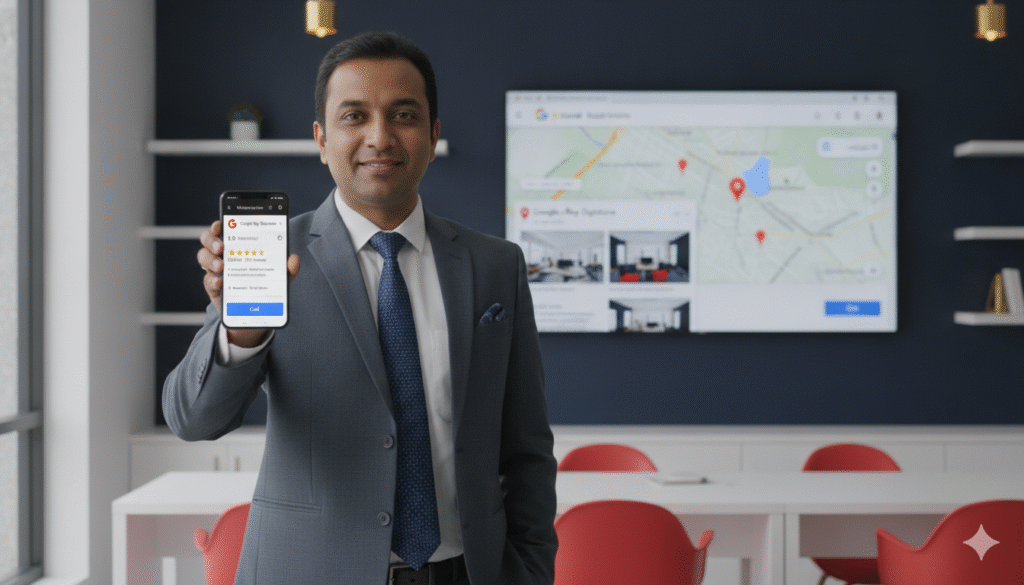
Ask any business owner in Bhubaneswar what they most want from their online marketing and the answer is almost always the same: more customers finding them on Google.
And the single most powerful free tool available to achieve exactly that is Google My Business — now officially called Google Business Profile but still universally referred to as Google My Business or GMB by business owners across India.
If you run a local business in Bhubaneswar — a restaurant in Saheed Nagar, a dental clinic in Patia, a digital marketing agency in Chandrasekharpur, a car dealership anywhere in the city, or any other business serving local customers — Google My Business is the most direct path to appearing in front of those customers at the exact moment they are searching for what you offer.
It is free. It is powerful. And the vast majority of businesses in Bhubaneswar are either not using it at all or using it so poorly that they are effectively invisible in local search results.
This complete guide changes that. By the end you will know exactly how to set up, optimize, and manage your Google My Business profile to rank higher on Google Maps, attract more customers, and grow your business in Bhubaneswar in 2026.
What Is Google My Business?
Google My Business is a free tool provided by Google that allows business owners to manage how their business appears across Google Search and Google Maps.
When someone searches for a business or a type of business in Bhubaneswar — typing something like “best dentist near me” or “digital marketing agency Bhubaneswar” or “restaurants open now in Saheed Nagar” — Google displays a prominent section at the top of the search results showing local businesses on a map along with their key information.
This section is called the Google Maps 3-Pack — the three businesses Google considers most relevant and trustworthy for that specific search query in that specific location. The businesses appearing in the 3-Pack receive the overwhelming majority of clicks, calls, and visits generated by that search.
Your Google My Business profile is what determines:
- Whether your business appears in these local search results
- How high you rank when you do appear
- What information potential customers see about your business
- How compelling your listing looks compared to competitors
- Whether customers choose to call you or visit your competitor instead
A well-optimized Google My Business profile is the most direct and cost-effective path to new customer acquisition available to any local business in Bhubaneswar. And unlike paid advertising it continues generating customers month after month without ongoing spend.
Google My Business vs Google Business Profile — What Is the Difference?
You may have noticed that Google officially renamed Google My Business to Google Business Profile in 2021. In practice the tool is identical — the name change reflects Google’s shift toward managing business profiles directly through Google Search and Google Maps rather than through a separate app or dashboard.
Throughout this guide we use both terms interchangeably — as most business owners in Bhubaneswar continue to use the familiar “Google My Business” name regardless of the official rebrand. When you search for how to manage your listing you may find either name used — they refer to the same tool.
Why Google My Business Is Critical for Bhubaneswar Businesses in 2026
The Numbers Tell the Story
Over 80% of consumers use Google to find local businesses before making a purchase or visiting in person. In Bhubaneswar where smartphone penetration is high and Google is the default starting point for virtually every local search — finding a restaurant, a doctor, a service provider, or a shop — this percentage is even higher.
Businesses appearing in the Google Maps 3-Pack receive approximately 70% of all clicks generated by local search queries. The remaining 30% is split among all other organic results. If your business is not in the 3-Pack you are competing for a small fraction of available clicks.
Google My Business profiles with complete information, quality photos, and strong review ratings receive dramatically more clicks, calls, and direction requests than incomplete or low-quality profiles. A well-optimized Google My Business listing can generate dozens to hundreds of new customer enquiries per month — completely free.
Your Competitors Are Already There
Search for any competitive category in Bhubaneswar on Google Maps right now — dental clinics, digital marketing agencies, restaurants, car dealerships, coaching institutes — and you will find multiple businesses with complete, optimized Google My Business profiles appearing prominently. These businesses are getting calls and visits from customers who searched and found them — customers who could have found you if your profile were equally optimized.
Every day your Google My Business profile is incomplete or unoptimized is another day those customers are going to your competitors.
Step 1 — Setting Up Your Google My Business Profile
Creating or Claiming Your Listing
Go to business.google.com and sign in with your Google account. Search for your business name. If your business already has a listing — either one you previously created or one Google automatically generated based on publicly available information — you will see it in the search results. Click “Claim this business” to take ownership.
If no listing exists click “Add your business to Google” and follow the prompts to create a new listing from scratch.
Use a dedicated Google account for your business rather than your personal Google account. This makes it easier to share access with team members and keeps your business data separate from personal information.
Choosing Your Business Type
Google My Business asks you to specify your business type during setup:
Storefront — A physical location that customers visit. Restaurants, retail shops, clinics, and offices fall into this category. You will display your full address publicly.
Service area business — A business that travels to customers rather than receiving them at a fixed location. Plumbers, electricians, home cleaning services, and delivery businesses choose this option. You can hide your specific address and instead specify the areas of Bhubaneswar you serve.
Hybrid — A business that both serves customers at a physical location and travels to customers. Many businesses in Bhubaneswar fall into this category — a catering company that has an office but also delivers to event venues, for example.
Choose the most accurate option for your business model. This affects how your listing appears in search results and which categories are available to you.
Verifying Your Listing
Verification is required before your listing becomes fully active and before you can make changes that appear publicly. Google offers several verification methods for businesses in Bhubaneswar:
Postcard verification is the most common method. Google mails a postcard with a unique verification code to your business address. The postcard typically arrives within 5 to 14 days. Once received enter the code in your Google My Business dashboard to complete verification. Ensure your address is entered correctly before requesting the postcard — an incorrect address means the postcard will not arrive.
Video verification is an increasingly common method where you record a short video while walking around your business — showing the exterior signage, interior, and any business equipment — to confirm your physical presence at the stated address.
Phone or email verification is available for some business categories and provides a faster verification option where Google sends a code directly to your phone or email.
Instant verification may be available if your business website is already verified in Google Search Console with the same Google account — allowing immediate verification without waiting for a postcard.
Complete verification as quickly as possible. An unverified listing has limited functionality and may not appear prominently in search results.
Step 2 — Completing Your Google My Business Profile
A fully completed Google My Business profile consistently outranks a partially completed one. Every section you complete adds information that Google uses to match your listing with relevant searches and that customers use to decide whether to contact you. Here is every section to complete:
Business Name
Enter your exact official business name. Do not add keywords, location references, or marketing language. “Prominds Digital” is correct. “Prominds Digital — Best SEO Company Bhubaneswar” violates Google’s guidelines and risks suspension.
Consistency across all your online presence is critical. Your business name must appear identically on your Google My Business profile, your website, your social media profiles, and all business directory listings. Inconsistencies weaken your local citation signals and reduce your ranking.
Primary and Secondary Categories
Your primary business category is one of the most important ranking signals in your Google My Business profile. Google uses your category to determine which searches your listing is relevant for — so choosing the most specific and accurate category is essential for appearing in the right search results.
Search the available categories carefully and choose the most specific option that accurately describes your primary business activity. A dental clinic should choose “Dentist” not “Health.” A digital marketing agency should choose “Marketing Agency” or “Internet Marketing Service” not “Business Service.” A Chinese restaurant should choose “Chinese Restaurant” not just “Restaurant.”
Add up to 9 secondary categories to capture additional relevant searches. A dental clinic might add “Cosmetic Dentist,” “Dental Implants Periodontist,” and “Pediatric Dentist” as secondary categories. A digital marketing agency might add “SEO Agency,” “Advertising Agency,” and “Social Media Agency.”
Business Description
Write a compelling 750-character business description that clearly explains what your business does, who you serve, and what makes you different — while naturally incorporating your primary keyword and location.
A strong description for a restaurant in Bhubaneswar:
“[Restaurant Name] is Bhubaneswar’s favourite destination for authentic North Indian cuisine, located in the heart of Saheed Nagar. Our menu features traditional recipes prepared with fresh locally sourced ingredients. We offer dine-in for families and corporate groups, takeaway, and home delivery across Bhubaneswar. Open 7 days a week. Reservations recommended for weekends.”
This description naturally includes “Bhubaneswar,” “Saheed Nagar,” the cuisine type, and key service information — all within the character limit.
Address
Enter your complete business address including building number, street name, area, city, state, and PIN code. For businesses in Bhubaneswar include the specific neighborhood — Saheed Nagar, Patia, Jaydev Vihar, Chandrasekharpur — as this helps your listing appear for neighborhood-specific searches.
Place a pin on Google Maps to confirm the exact location of your business. An accurately placed pin ensures customers navigating to your business arrive at the correct location and prevents negative experiences from GPS-guided customers arriving at the wrong place.
Phone Number
Use your primary business phone number — ideally a local Bhubaneswar number. Ensure this number is active, monitored, and answered promptly during business hours. Your phone number should be identical across your Google My Business profile, your website, and all other online listings.
Website
Link to your business website. If you have dedicated service pages — a Google Ads service page, a dental implants treatment page, or a specific product category page — consider linking to the most relevant page for your primary business category rather than always defaulting to the homepage.
Business Hours
Enter your exact operating hours for each day of the week. Include Saturday and Sunday hours separately — many businesses in Bhubaneswar have different weekend hours and customers specifically search for businesses open on weekends.
Use the “Special hours” feature to set different hours for public holidays and festivals — Durga Puja, Diwali, Odia New Year, and other occasions when your hours differ from normal. Google prominently warns searchers when a business is closed and inaccurate hours generate frustrated customers and negative reviews.
Services and Products
The Services section allows you to list every specific service your business offers with names, descriptions, and prices. This section is enormously valuable for SEO — each service listing tells Google more specifically what your business offers and makes your listing more likely to appear for service-specific searches.
For a digital marketing agency list every service individually — Search Engine Optimization, Google Ads Management, Meta Ads Management, Social Media Marketing, WhatsApp Business API, Content Marketing, Website Development, Branding. Each entry reinforces your relevance for those specific service searches.
For a dental clinic list every treatment — Dental Implants, Root Canal Treatment, Teeth Whitening, Orthodontics and Braces, Pediatric Dentistry, Cosmetic Dentistry, Dental Crowns. A patient searching specifically for “dental implants Bhubaneswar” is more likely to find a clinic that lists dental implants as a specific service.
Attributes
Attributes are specific business characteristics that Google allows you to highlight on your listing. Available attributes vary by business category and include things like “Women-led,” “Wheelchair accessible,” “Free Wi-Fi,” “Outdoor seating,” “Accepts UPI,” “Home delivery available,” and many others.
Review every available attribute for your business category and enable all that accurately describe your business. Attributes are additional relevance signals and help your listing appear for attribute-specific searches — customers searching “restaurants with outdoor seating Bhubaneswar” or “clinics accepting UPI Bhubaneswar.”
Step 3 — Building Your Photo Gallery
Photos are one of the most visible and impactful elements of your Google My Business listing — and the area where most Bhubaneswar businesses most significantly underperform.
Research consistently shows that Google My Business listings with photos receive significantly more clicks, calls, and direction requests than those without. Customers make rapid first-impression judgments based on the photos they see in your listing — a professional, appealing photo gallery creates trust and confidence while an empty or unprofessional gallery raises doubt.
Photo Categories to Cover
Cover photo — The primary image displayed most prominently on your listing. Choose your most compelling, professional image — ideally showing your best product, your team, or your premises in the most favorable light.
Logo — Your business logo appears as a small icon on your listing. Ensure it is high-resolution, properly formatted, and clearly represents your brand.
Exterior photos — At least 3 photos showing your business exterior from different angles and at different times of day. These help customers recognize your location when they arrive and confirm that you are a real, established business.
Interior photos — Photos of your reception area, main workspace, treatment rooms, dining area, retail floor, or whatever indoor space customers experience. These give customers a preview of the environment and build confidence before they visit.
Team photos — Photos of your team members individually and as a group. Seeing the people behind a business builds human connection and trust — customers prefer dealing with businesses whose team they can see and relate to.
Product and service photos — High-quality photos of your products, your work, your treatments, or your services in action. A restaurant should show beautifully photographed food. A digital marketing agency should show their team at work. A dental clinic should show before and after treatment results (with patient consent). A car dealership should show their vehicle showroom and key models.
Video — Short videos up to 30 seconds can be added to your Google My Business profile. A brief showroom tour, a team introduction, or a quick showcase of your best work adds engagement and differentiates your listing from competitors showing only static photos.
Photo Quality Requirements
Every photo should be high resolution — Google recommends at minimum 720 x 720 pixels — well-lit, in sharp focus, and professionally composed. Blurry, dark, or poorly composed photos should not be uploaded — they can actually harm your listing by creating a negative first impression.
Use natural lighting wherever possible. For food photography, product photography, or team shots consider a brief professional photography session — the improvement in listing quality and customer impression is well worth the modest investment for most businesses in Bhubaneswar.
Volume and Frequency
Aim for a minimum of 25 photos when you first complete your profile setup. There is no maximum — the more high-quality photos you have the better. Add 4 to 6 new photos every month to signal to Google that your listing is actively maintained.
Step 4 — Generating and Managing Google Reviews
Google reviews are one of the three primary factors Google uses to rank businesses in local search results — alongside relevance and distance. More reviews, higher average rating, and more recent reviews all directly improve your ranking in Google Maps results for Bhubaneswar searches.
Beyond ranking, reviews directly influence whether potential customers choose your business over a competitor. Research shows that over 90% of Indian consumers read online reviews before visiting a local business. A business with 80 detailed five-star reviews is dramatically more likely to receive a call from a new customer than one with 5 reviews — even if the service quality is objectively similar.
Building Your Review System
The businesses in Bhubaneswar with the strongest review profiles are not there by accident — they have systematic processes for requesting reviews from every satisfied customer consistently.
Create your direct review link — Your Google My Business dashboard provides a shareable link that takes customers directly to your review form with a single click. This link removes all friction from the review process — customers do not have to search for your listing or navigate through multiple screens.
Ask at the right moment — The best time to request a review is immediately after a positive customer experience — when satisfaction is highest and the customer is most motivated to share it. For a restaurant this is as customers are finishing a great meal. For a clinic it is right after a successful appointment. For a retail store it is at the moment of purchase.
Use WhatsApp for review requests — For most businesses in Bhubaneswar WhatsApp is the most effective channel for review requests. A brief, personal WhatsApp message sent within 24 hours of a positive experience — with your direct review link — generates significantly higher conversion than any other request method.
“Hi [Name], thank you so much for visiting us today! We hope you had a wonderful experience. If you have 2 minutes we would be truly grateful if you could share your feedback on Google — it helps us a lot and helps other people in Bhubaneswar find us. Here is the direct link: [Review Link]. Thank you so much!”
Train your team — Every customer-facing team member should know how to make a natural, sincere review request at the appropriate moment. Practice the ask so it feels genuine rather than scripted.
Set monthly targets — Assign a monthly review target — a specific number of new reviews to aim for — and track progress weekly. Most businesses in Bhubaneswar can realistically achieve 5 to 15 new reviews per month with a consistent process.
Responding to Reviews
Respond to every review — positive and negative — within 24 to 48 hours.
For positive reviews thank the customer specifically, reference something from their review to show you read it, and mention your business name and location naturally:
“Thank you so much [Name] for your wonderful review! We are thrilled you enjoyed your experience at [Business Name] in Bhubaneswar and that [specific detail they mentioned] made such a positive impression. We look forward to welcoming you back soon!”
For negative reviews respond professionally, acknowledge the experience without dismissing it, apologize sincerely, and offer to resolve the issue offline:
“Thank you [Name] for sharing your feedback. We are genuinely sorry your experience at [Business Name] did not meet the standard we hold ourselves to. This is not typical of what we aim to deliver and we take this feedback very seriously. Please contact us directly at [Phone/Email] so we can discuss this and make it right for you.”
Never argue with a reviewer publicly. A professional, empathetic response to a negative review often does more to build trust with potential customers than the negative review damages it.
Step 5 — Publishing Google My Business Posts Consistently
Google Posts — updates, offers, events, and announcements published directly on your Google My Business profile — appear on your listing in search results and Google Maps, giving you additional visibility and a direct communication channel with potential customers.
Despite being one of the most effective and completely free features of Google My Business, posts are dramatically underused by businesses in Bhubaneswar. Most business owners are unaware they exist. Those who know about them rarely post consistently.
This creates a significant opportunity — businesses that post consistently on Google My Business stand out from their local competitors in search results and signal to Google that they are actively engaged.
Types of Google My Business Posts
Update posts — General announcements about your business, team achievements, new services, or any news worth sharing. A digital marketing agency might post about a new service launch. A restaurant might post about a new chef joining the team. A dental clinic might post about a new treatment now available.
Offer posts — Time-limited promotional offers with start and end dates. These are particularly effective for driving immediate action — customers who see a compelling limited-time offer on your listing are motivated to act before it expires.
Event posts — Upcoming events hosted by or associated with your business. A coaching institute hosting an open day, a store hosting a product demonstration, a restaurant hosting a live music evening — all are appropriate for event posts.
Product posts — Showcase specific products or services with images, descriptions, and prices. Particularly useful for highlighting your best-selling or most profitable offerings directly in your listing.
Posting Frequency and Best Practices
Publish at least one post per week. Standard update and offer posts expire after 7 days — so weekly posting ensures your listing always shows fresh content. Event posts remain visible until the event date.
Keep posts concise — 150 to 300 words maximum. Lead with a high-quality image. Include one clear call to action. Use natural, conversational language that reflects your brand personality rather than stiff corporate language.
Posts with images receive significantly more engagement than text-only posts. Always include a relevant, high-quality image with every post.
Step 6 — Optimizing the Questions and Answers Section
The Questions and Answers section on your Google My Business listing allows anyone — customers and the general public — to ask questions about your business and receive answers from the business or from other users.
This section is widely ignored by businesses in Bhubaneswar — but it is a valuable optimization opportunity. Questions left unanswered make your listing look unattended and may be answered incorrectly by other users.
Proactively Seed Your Own FAQs
You can ask and answer your own questions on your listing. Identify the 10 to 15 questions your customers most frequently ask and add them yourself with accurate, helpful answers — ensuring the most important information is always present and correctly answered.
For a coaching institute in Bhubaneswar:
Q: What are the fees for JEE preparation courses?
A: Our JEE preparation course fees start from Rs. [Amount] per month including study materials. We also offer scholarship programs for meritorious students. Visit us at [Address] or call [Number] for detailed fee structure and batch timings.
Q: Do you offer online classes for students outside Bhubaneswar?
A: Yes we offer both offline classes at our Bhubaneswar centre and live online classes for students across Odisha and India. Contact us at [Number] or WhatsApp us at [Number] to enroll.
Proactively added Q and As provide valuable information to potential customers, include natural keyword phrases that contribute to your listing’s relevance, and ensure accurate information is always the first answer visible.
Monitor and Answer New Questions
Check your Q and A section at least weekly and answer any new questions from users promptly — ideally within 24 hours. Set up notifications in your Google My Business dashboard so you are alerted when new questions are posted.
Step 7 — Enabling and Managing Google My Business Messaging
Google My Business Messaging allows customers to send you a direct message from your Google listing — without needing your phone number or email address. When someone finds your listing on Google Maps and taps the “Message” button they can start a conversation directly from the search results page.
Enable messaging in your Google My Business settings and monitor messages carefully. Google tracks your response rate and response time and may display this publicly on your listing — rewarding businesses that respond within minutes.
Set up an automatic welcome message that is sent immediately when a customer initiates a message — acknowledging their contact and setting expectations for response time:
“Hello! Thank you for reaching out to [Business Name] in Bhubaneswar. We have received your message and will respond within [Time Period]. For urgent matters please call us at [Number] during business hours [Hours]. We look forward to helping you!”
Step 8 — Using Google My Business Insights to Optimize Continuously
Google My Business provides detailed performance data — called Insights — that shows how customers are finding and interacting with your listing. Monitoring these insights monthly allows you to track progress, identify opportunities, and continuously improve your optimization.
Key Metrics to Monitor
How customers search for your business — This shows the breakdown between customers who searched directly for your business name (direct searches) and those who found you through a category, product, or service search (discovery searches). A high proportion of discovery searches indicates your listing is successfully attracting new customers who did not previously know you.
Where customers find your business — Whether they found you through Google Search or Google Maps. This tells you which surface is driving more visibility and whether you need to focus more on search result optimization or map optimization.
Customer actions — The specific actions customers take after finding your listing: clicking to visit your website, calling your phone number, requesting directions, or messaging you. These are the most valuable metrics because they represent real potential customers taking action.
Photo views and quantity — How many times your photos have been viewed and how your photo count compares to similar businesses. If competitors have significantly more photo views it may indicate you need more or higher-quality photos.
Review performance — Track your total review count, average rating, and monthly new reviews. Set growth targets and monitor progress.
Use these insights to identify what is working — double down on it — and what needs improvement — address it systematically.
Step 9 — Building Local Citations to Strengthen Your Google My Business Ranking
Your Google My Business profile does not exist in isolation. Google cross-references your business information across the internet — looking at how your business name, address, and phone number (NAP) appear on other websites and directories to verify your legitimacy and local relevance.
Building consistent local citations — mentions of your business NAP on other reputable websites — directly strengthens your Google My Business ranking by reinforcing your local authority signals.
Most Important Citation Sources for Bhubaneswar Businesses
Essential Indian directories: Justdial (most important), Sulekha, IndiaMart, TradeIndia, Grotal, Yellow Pages India
Global platforms: Bing Places for Business, Apple Maps Connect, Foursquare
Social media: Facebook Business Page, LinkedIn Company Page, Instagram Business Profile
Industry-specific: Practo and Lybrate for healthcare, Zomato and Swiggy for restaurants, MagicBricks and 99acres for real estate, Clutch and GoodFirms for digital marketing agencies
The absolute requirement for citation building is consistency. Your business name, address, and phone number must appear identically across every platform — including punctuation and formatting. Even small differences weaken your citation signals and reduce your Google My Business ranking.
Step 10 — Advanced Google My Business Optimization Tips
Add UTM Parameters to Your Website Link
Add UTM tracking parameters to the website URL in your Google My Business profile so you can track exactly how much traffic your listing sends to your website in Google Analytics. This helps you accurately measure the business impact of your Google My Business optimization.
Use the Booking Feature
If your business takes appointments Google My Business offers an integrated booking feature that allows customers to book directly from your listing — without leaving Google. Enabling this feature significantly reduces the friction of booking and increases conversion from profile views to actual appointments.
Monitor and Report Competitor Spam
Some businesses in Bhubaneswar use black-hat Google My Business tactics — keyword stuffing in business names, fake locations, or fake reviews — that violate Google’s guidelines. If you notice competitor listings with keyword-stuffed names (e.g., “Best Dentist Bhubaneswar — Dr. Sharma Dental Clinic”) report them to Google through the “Suggest an edit” option or through Google’s Business Redressal complaint form.
Keep Your Information Updated
Any time your business information changes — new phone number, updated hours, new address, new service added — update your Google My Business profile immediately. Outdated information frustrates customers and creates negative experiences that lead to lower ratings.
Use the Products Feature for Physical Product Businesses
Retail businesses, restaurants, and product-focused businesses can use the Products feature to display their specific products directly on their Google My Business listing — complete with images, descriptions, and prices. Products displayed on your listing appear in search results and can drive direct purchase intent from customers who have not yet visited your website.
Common Google My Business Mistakes That Bhubaneswar Businesses Must Avoid
Keyword stuffing the business name field
Adding keywords to your business name — “Best Dentist Bhubaneswar | Dr. Sharma Dental Care” — violates Google’s guidelines and risks suspension of your entire listing. Use your exact registered business name only.
Choosing the wrong primary category
An incorrect or overly broad primary category means your listing appears for irrelevant searches and fails to appear for the relevant ones. Research categories carefully and choose the most specific, accurate option.
Uploading no photos or low-quality photos
Listings with few photos or poor-quality photos consistently underperform. Invest in quality photography and upload at least 25 photos to start, adding new ones monthly.
Never publishing posts
Listings with no recent posts signal inactivity to Google. Commit to at least one post per week to maintain an active, engaged presence.
Ignoring the Q and A section
Leaving this section empty or allowing questions to go unanswered wastes a significant optimization opportunity. Seed your own FAQs and monitor for new questions weekly.
Not responding to reviews
Unresponded reviews — particularly negative ones — signal disengagement. Every review deserves a response within 48 hours.
Inconsistent NAP information
Different versions of your business name, address, or phone number across different platforms weaken your local citation signals and reduce your ranking. Audit all your online listings and ensure complete consistency.
Never updating the listing
A Google My Business listing set up once and never touched again is a missed opportunity. Active, regularly updated listings consistently outrank stagnant ones.
How Long Does Google My Business Optimization Take to Show Results?
For businesses starting from scratch or significantly improving an incomplete profile here is a realistic timeline for Bhubaneswar businesses:
Week 1 to 2: Complete all profile fields, upload photos, add services and attributes, verify the listing. Google begins recrawling and updating your listing.
Week 3 to 4: Initial improvements in profile views and customer actions as your more complete listing becomes visible for more searches. First movement in Maps ranking for lower competition search queries.
Month 2 to 3: Meaningful ranking improvements as consistent posting, growing review count, and complete profile information compound. Appearance in Maps results for primary keywords in your category in Bhubaneswar.
Month 3 to 6: Potential 3-Pack appearance for primary keywords as review volume grows significantly, posting consistency demonstrates sustained activity, and local citation building strengthens your authority signals.
The pace of results depends on your starting point, the competitiveness of your business category in Bhubaneswar, and how consistently you execute the optimization activities — particularly review generation and weekly posting.
How Prominds Digital Manages Google My Business for Bhubaneswar Businesses
At Prominds Digital Google My Business optimization and management is a core service we provide for local businesses across Bhubaneswar. We have helped businesses in automotive, healthcare, real estate, hospitality, education, retail, and professional services move from invisible in Google Maps to consistently appearing in the Maps 3-Pack — generating significant new customer enquiries every month.
Our Google My Business management service covers:
Complete profile setup and optimization — Every field completed correctly, optimal category selection, keyword-rich description, complete services and attributes, professional photo uploads.
Review generation system — Direct review link creation, WhatsApp request template creation, team training on review requesting, and monthly review count tracking.
Weekly Google Posts — Consistent, branded, high-quality posts published every week to maintain listing activity signals and communicate with potential customers.
Q and A management — Proactive FAQ seeding and prompt responses to new customer questions.
Citation building — Systematic submission to all major Indian and global business directories with consistent NAP information.
Monthly performance reporting — Clear reporting on listing views, customer actions, review growth, and ranking improvements.
Ongoing optimization — Continuous refinement based on performance data and algorithm updates.
Frequently Asked Questions
Q: Is Google My Business completely free?
Yes. Setting up and managing a Google My Business profile is completely free. There are no charges for claiming your listing, completing your profile, uploading photos, publishing posts, or appearing in Google Maps results. The only costs involved are if you work with a professional agency like Prominds Digital to manage your profile on your behalf.
Q: How long does it take to verify my Google My Business listing in Bhubaneswar?
Postcard verification — the most common method — typically takes 5 to 14 days for the postcard to arrive at your Bhubaneswar address. Video verification can be completed within a few days. Phone and email verification where available are immediate.
Q: Can I have a Google My Business listing without a physical address?
Yes. Service-area businesses that travel to customers rather than receiving them at a fixed location can create a listing without displaying a public address. Instead you specify the service areas — neighborhoods or areas of Bhubaneswar — where you operate.
Q: How do I get my business into the Google Maps 3-Pack in Bhubaneswar?
Appearing in the Maps 3-Pack requires consistent optimization across multiple factors — complete and accurate profile, strong review profile, active posting, consistent local citations, and relevant website content. There is no shortcut — it requires sustained, quality optimization work across all these areas over several months.
Q: What should I do if someone creates a fake Google My Business listing for my business?
Report the fake listing to Google through the “Suggest an edit” option on the listing or through Google’s Business Redressal complaint form. Include as much evidence as possible that you are the legitimate business owner. Google investigates and removes fraudulent listings.
Q: Can I manage my Google My Business profile from my smartphone?
Yes. Google offers a Google Maps app through which you can manage your Business Profile directly from your smartphone — responding to reviews, publishing posts, updating information, and viewing insights — making it convenient to manage your listing on the go.
Start Optimizing Your Google My Business Today
Your Google My Business profile is the most powerful free marketing tool available to your business in Bhubaneswar. Every day it sits incomplete, unoptimized, or unmanaged is another day potential customers are finding your competitors instead of you.
The good news is that most businesses in Bhubaneswar are not optimizing their Google My Business profiles well — which means the opportunity to stand out through excellent optimization is significant. A fully optimized, actively managed listing with strong reviews, consistent posts, and complete information will outrank the majority of local competitors in your category.
Start with the steps in this guide. Complete your profile. Upload your photos. Start asking for reviews. Publish your first post this week.
And if you want expert help building the Google My Business presence that consistently puts your business in front of the right customers in Bhubaneswar — Prominds Digital is ready to make that happen.
Get in touch for a free Google My Business audit today.
📞 Call us: 9090090150
📧 Email: hello@prominds.digital
🌐 Visit: prominds.digital
📍 A-141, 2nd Floor, Saheed Nagar, Bhubaneswar, Odisha
Prominds Digital — Google My Business Optimization and Local SEO Specialists for Businesses in Bhubaneswar, Odisha. Your Growth. Our Mission.