
📊 Google Tag Manager: A Complete Guide for Beginners
Tracking user behavior accurately is the backbone of successful digital marketing. Whether you’re running Google Ads, Meta Ads, SEO, or conversion-focused campaigns, you need reliable data. That’s where Google Tag Manager (GTM) comes in.
Google Tag Manager is a powerful tool that helps you manage tracking codes (tags) on your website without repeatedly editing code. It simplifies analytics, improves accuracy, and saves time for both marketers and developers.
This blog explains what Google Tag Manager is, how it works, and why every business website should use it.
🔍 What Is Google Tag Manager?
Google Tag Manager is a free tag management system by Google that allows you to add, update, and manage tracking scripts (tags) on your website or app from one central dashboard.
Instead of manually adding multiple codes into your website’s backend, GTM lets you deploy them through a single container.
Examples of tags you can manage using GTM:
- Google Analytics
- Google Ads conversion tracking
- Meta (Facebook) Pixel
- LinkedIn Insight Tag
- Floodlight tags
- Custom HTML or JavaScript tracking
⚙️ How Google Tag Manager Works
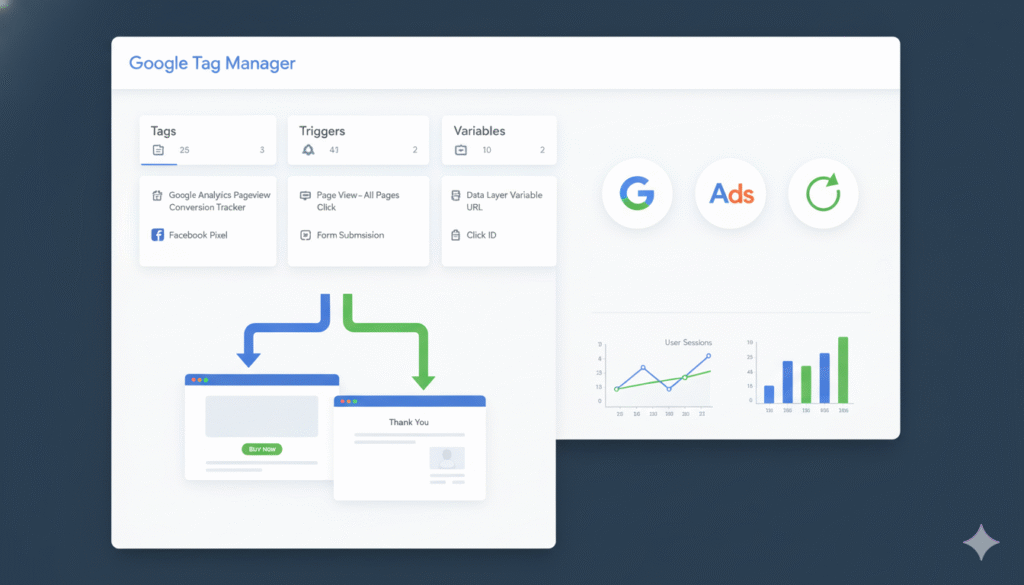
Google Tag Manager operates using three core components:
1️⃣ Tags
Tags are pieces of code that send data to third-party tools like Google Analytics or Google Ads.
2️⃣ Triggers
Triggers define when a tag should fire, such as:
- Page view
- Button click
- Form submission
- Scroll depth
- Purchase completion
3️⃣ Variables
Variables store information used by tags and triggers, like:
- Page URL
- Click text
- Form ID
- Transaction value
Together, these three elements control how and when data is collected.
🎯 Why Google Tag Manager Is Important
✅ 1. No Repeated Code Changes
Once GTM is installed on your website, you don’t need to touch the site code again for most tracking updates.
✅ 2. Faster Tracking Setup
New tags can be added in minutes instead of waiting for a developer.
✅ 3. Better Accuracy
GTM reduces errors caused by incorrect manual code placement.
✅ 4. Easy Conversion Tracking
Track important actions like:
- Leads
- Purchases
- Calls
- Button clicks
- Form submissions
This is critical for Google Ads and performance marketing.
✅ 5. Centralized Tag Management
All your tracking scripts are managed in one place, making audits and updates simple.
🧠 Common Use Cases of Google Tag Manager
Businesses commonly use GTM for:
- Google Ads conversion tracking
- Enhanced Google Analytics tracking
- Event tracking (clicks, scrolls, video views)
- E-commerce tracking
- Third-party marketing pixels
- Custom tracking for funnels
⚠️ Common Google Tag Manager Mistakes to Avoid
Even though GTM is powerful, mistakes can affect data accuracy:
- Firing the same tag multiple times
- Incorrect trigger configuration
- Not testing changes before publishing
- Missing conversion value parameters
- Poor naming conventions
Always use Preview Mode before publishing any changes.
🔒 Is Google Tag Manager Safe?
Yes. Google Tag Manager itself does not collect or store personal data. It simply sends data to other tools based on your configuration.
However, businesses must:
- Follow data privacy laws
- Implement consent management (cookie banners)
- Avoid tracking sensitive personal information
🏁 Final Thoughts
Google Tag Manager is an essential tool for modern digital marketing. It gives marketers control, flexibility, and speed while ensuring accurate tracking across platforms.
Whether you’re running ads, optimizing SEO, or analyzing user behavior, GTM helps you make data-driven decisions without technical complexity.
If you’re serious about performance marketing, conversion tracking, and analytics accuracy, Google Tag Manager is not optional — it’s essential.