
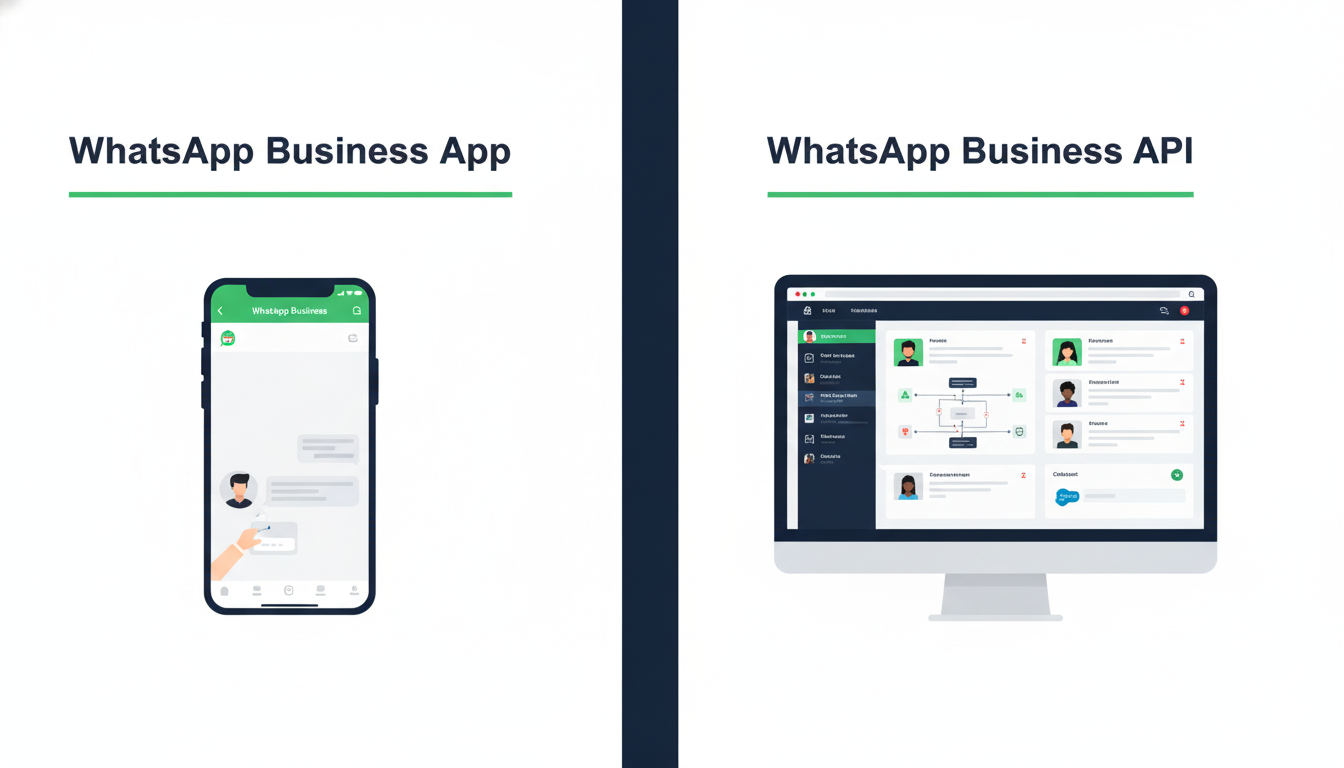
WhatsApp Business API vs WhatsApp Business App: Complete Difference Guide 2026
If you are a business owner in India trying to figure out how to use WhatsApp professionally, you have almost certainly come across both of these terms: WhatsApp Business App and WhatsApp Business API.
They sound similar. They both involve WhatsApp. They are both designed for businesses. But they are fundamentally different products built for completely different types of businesses and completely different scales of operation.
Choosing the wrong one means either paying for features you do not need or severely limiting what your business communication can achieve. And in 2026, with WhatsApp becoming the primary customer communication channel for businesses across India, making the right choice has never been more important.
This blog gives you the complete, honest comparison between WhatsApp Business App and WhatsApp Business API — what each one is, what it can and cannot do, who it is designed for, and exactly which one your business needs right now.
First — Why WhatsApp Matters So Much for Indian Businesses in 2026
Before we compare the two products, it helps to understand why this decision matters so much.
India has over 500 million active WhatsApp users — more than any other country in the world. WhatsApp is not just a messaging app in India. It is the primary way people communicate with friends, family, colleagues, and increasingly with businesses they buy from.
WhatsApp messages have an open rate of over 95% compared to email open rates of 15 to 25%. Response rates on WhatsApp are dramatically higher than on any other business communication channel. Customers in cities like Bhubaneswar, Mumbai, Bangalore, and Delhi increasingly prefer to enquire, get support, and make purchases through WhatsApp rather than phone calls or emails.
For a business in Bhubaneswar, being accessible and responsive on WhatsApp is no longer optional — it is a fundamental expectation. The question is not whether to use WhatsApp for business. The question is which WhatsApp business product is right for your specific needs.
What Is the WhatsApp Business App?
The WhatsApp Business App is a free mobile application available for download on Android and iOS. It was launched by Meta in 2018 specifically for small businesses that want a more professional WhatsApp presence than a regular personal account provides.
Think of it as WhatsApp with some extra business-friendly features layered on top. You download it, set up a business profile, and use it much like you would use regular WhatsApp — but with a few additional tools designed for customer communication.
What the WhatsApp Business App Can Do
Business Profile You can set up a detailed business profile with your business name, category, description, address, website, email, and business hours. This gives customers more information about your business when they visit your WhatsApp profile.
Quick Replies You can save frequently used messages as quick replies and send them with a keyboard shortcut. For example typing “/thanks” might automatically insert your standard thank-you message. This saves time when responding to common questions.
Greeting Messages You can set up an automatic greeting message that is sent to customers who message your business for the first time or after 14 days of inactivity. This is a simple form of automation — but it is limited to this single trigger.
Away Messages You can set up an away message that is sent automatically when you receive messages outside your business hours. Again this is simple, limited automation.
Labels You can organize your conversations with colored labels — for example marking contacts as New Customer, Pending Payment, or Order Complete. This is a basic CRM-like feature for very small businesses.
Product Catalogue You can create a simple catalogue of your products or services with images, descriptions, and prices that customers can browse directly in WhatsApp.
Broadcast Lists You can send a message to up to 256 contacts at once through a broadcast list. However there is an important limitation — the recipient must have your number saved in their contacts for them to receive the broadcast. If they have not saved your number, the broadcast simply does not reach them.
What the WhatsApp Business App Cannot Do
This is where the limitations become significant for any business that is growing or handling meaningful communication volume:
- Only one phone and one user can manage the account at a time — no multi-agent support
- Broadcasts are limited to 256 contacts and require recipients to have your number saved
- Automation is extremely limited — only greeting and away messages
- No integration with CRM systems, websites, or other business tools
- No chatbot capability for automated conversations
- No bulk messaging to opted-in customers beyond the 256 contact broadcast limit
- No analytics or reporting beyond basic message read receipts
- Cannot be used on multiple devices simultaneously by a team
What Is the WhatsApp Business API?
The WhatsApp Business API is a completely different product. It is not an app you download. It is a programming interface — a set of tools that allows businesses to integrate WhatsApp communication directly into their own systems, platforms, and workflows through a verified solution provider.
The API was built for medium to large businesses that need to handle high volumes of customer communication, automate conversations at scale, integrate WhatsApp with their existing business systems, and manage customer interactions across a team of agents.
To access the WhatsApp Business API you cannot go directly to WhatsApp. You must work through an official WhatsApp Business Solution Provider — a company like Prominds Digital that is authorized to set up and manage API access for businesses.
What the WhatsApp Business API Can Do
Unlimited Broadcast Messaging to Opted-In Contacts Unlike the Business App’s 256-contact limit, the API allows you to send broadcast messages to thousands or even hundreds of thousands of opted-in contacts simultaneously. A single campaign can reach your entire customer database at once with personalized messages, images, videos, and documents.
Full Marketing Automation The API supports sophisticated automation flows that go far beyond simple greeting messages. You can create multi-step conversation sequences that respond differently based on what a customer says, guide customers through a complete enquiry or purchase process without any human involvement, and trigger specific messages based on customer actions on your website or in your CRM.
Intelligent Chatbots With the API you can build chatbots that handle entire customer conversations automatically — answering FAQs, collecting lead information, qualifying enquiries, booking appointments, processing orders, and routing complex queries to the appropriate human agent. These chatbots work 24 hours a day, 7 days a week, without any manual intervention.
Multi-Agent Team Inbox The API supports multiple team members managing customer conversations simultaneously from a shared inbox. A business in Bhubaneswar with 5 sales agents can have all 5 handling different customer conversations through the same WhatsApp business number at the same time — something completely impossible with the Business App.
CRM and System Integration The API integrates directly with CRM systems, e-commerce platforms, booking systems, payment gateways, and virtually any other business software through standard integration methods. When a customer messages you on WhatsApp, their details can automatically appear in your CRM. When an order is placed on your website, an automatic WhatsApp confirmation can be sent. The possibilities are limited only by your business systems.
Rich Media and Interactive Messages The API supports sending interactive message formats including buttons, list menus, quick reply options, location sharing, and document attachments. Instead of a customer having to type a response, they can simply tap a button — making conversations faster, easier, and more likely to convert.
Detailed Analytics and Reporting The API provides comprehensive data on message delivery rates, open rates, response rates, chatbot performance, agent response times, and conversion metrics. This data allows you to continuously optimize your WhatsApp communication strategy based on real performance information.
Verified Green Tick Badge Businesses using the WhatsApp Business API can apply for Meta’s verified green tick badge — the checkmark that appears next to your business name in WhatsApp conversations. This badge significantly increases customer trust and message open rates.
What the WhatsApp Business API Cannot Do
In the interest of complete honesty, here are the limitations of the API:
- It is not free — there are platform fees and Meta conversation charges
- Setting it up requires working with an authorized solution provider
- Message templates for automated communications must be pre-approved by Meta
- It requires more technical setup time than simply downloading an app
- Not suitable for very small businesses with minimal communication volume
The Complete Side-by-Side Comparison
| Feature | WhatsApp Business App | WhatsApp Business API |
|---|---|---|
| Cost | Free | Paid — platform fee + Meta charges |
| Setup | Download and install | Requires solution provider setup |
| Number of users | 1 user, 1 device | Unlimited agents, multiple devices |
| Broadcast limit | 256 contacts (must have number saved) | Unlimited opted-in contacts |
| Automation | Basic greeting and away messages only | Full multi-step automation flows |
| Chatbots | Not available | Fully supported |
| CRM integration | Not available | Full integration capability |
| Analytics | Basic read receipts only | Comprehensive performance data |
| Green tick verification | Not available | Available |
| Interactive messages | Limited | Buttons, lists, quick replies |
| API access | Not available | Full API access |
| Best for | Solo businesses, very small teams | Growing businesses, medium to large teams |
| Message volume | Low — manual handling | High — automated at scale |
| Response speed | Depends on manual availability | Instant automated responses 24/7 |
Which One Is Right for Your Business?
Here is the honest, straightforward answer based on your business situation.
Choose WhatsApp Business App If:
You are a solo business owner or a very small team of 1 to 2 people handling a low volume of customer messages — say fewer than 50 conversations per day. You do not need automation beyond basic away messages. You are comfortable managing all conversations manually from a single phone. You are in the very early stages of your business and want to establish a professional WhatsApp presence without any investment.
A home baker in Bhubaneswar taking custom cake orders. A freelance photographer handling client enquiries. A tutor managing a small number of student queries. These are the businesses for whom the WhatsApp Business App is perfectly adequate.
Choose WhatsApp Business API If:
You are receiving more enquiries than your team can respond to manually and quickly. You want to automate your lead follow-up so no enquiry goes unanswered regardless of the time of day. You have a growing team that needs to manage customer conversations collaboratively. You want to run broadcast marketing campaigns to your customer database. You want to integrate WhatsApp with your website, CRM, or other business systems. You are serious about using WhatsApp as a genuine lead generation and customer retention tool for your business in Bhubaneswar.
A real estate developer handling dozens of project enquiries daily. An automobile dealership managing test drive bookings and service reminders. A coaching institute handling hundreds of admission enquiries during peak season. A digital marketing agency running WhatsApp campaigns for clients. A retail brand wanting to send promotional broadcasts to thousands of customers. These are the businesses that need the API.
The Simple Rule of Thumb
If your business is growing and WhatsApp is becoming an important channel for customer communication, the WhatsApp Business App will eventually become a bottleneck that limits your growth. The API is the tool that removes that bottleneck and turns WhatsApp into a scalable business asset.
Most businesses in Bhubaneswar that start with the App eventually migrate to the API as they grow. The smarter move is to set up the API earlier rather than later — before the limitations of the App start costing you leads and customers.
Common Misconceptions About WhatsApp Business API
Misconception 1: The API is only for large enterprises This was true when the API first launched in 2018. But in 2026, the API is accessible and affordable for small and medium businesses in Bhubaneswar. With the right solution provider, even a business with a modest communication volume can benefit enormously from API automation.
Misconception 2: Setting up the API is extremely complicated When you work with an experienced WhatsApp Business Solution Provider like Prominds Digital, the technical complexity is handled entirely by us. You do not need to understand the technical details. You just need to understand what you want your WhatsApp communication to achieve and we build it for you.
Misconception 3: The API is too expensive for a small business The cost of WhatsApp API for most small to medium businesses in Bhubaneswar is between Rs. 3,000 and Rs. 15,000 per month depending on message volume and automation complexity. When you calculate the leads this generates and the manual follow-up time it saves, the return on investment is very strong for most businesses.
Misconception 4: I can use the API on my existing WhatsApp number No. The API requires a dedicated phone number that is not currently registered on any WhatsApp account. Your existing WhatsApp Business App number cannot be simultaneously used for the API — though it is possible to migrate a number from the App to the API under specific conditions.
Misconception 5: WhatsApp API allows me to send messages to anyone This is incorrect and important to understand. The API strictly requires that all broadcast messages are sent only to customers who have explicitly opted in to receive WhatsApp communications from your business. Sending unsolicited messages to numbers that have not opted in violates WhatsApp’s policies and can result in your business number being permanently banned.
How Prominds Digital Sets Up WhatsApp Business API for Bhubaneswar Businesses
At Prominds Digital we are an authorized WhatsApp Business Solution Provider serving businesses across Bhubaneswar and Odisha. Here is exactly what our WhatsApp API setup process looks like:
Step 1 — Business Verification We guide you through the Meta Business Manager verification process, submitting all required business documentation and getting your business account verified and approved.
Step 2 — Number Registration We register your dedicated WhatsApp Business API number, ensuring it is properly set up and linked to your verified business account.
Step 3 — Platform Setup We set up your WhatsApp API on a professional messaging platform with a team inbox, automation tools, chatbot builder, and analytics dashboard — all configured specifically for your business workflow.
Step 4 — Template Creation and Approval We create all your message templates — welcome messages, follow-up sequences, broadcast campaign templates, and notification messages — and submit them to Meta for approval.
Step 5 — Automation and Chatbot Build We build your automated conversation flows and chatbots based on your specific business requirements — lead qualification, appointment booking, FAQ handling, broadcast campaigns, or whatever your business needs most.
Step 6 — Integration We integrate your WhatsApp API with your website, CRM, or other business systems as required so that leads, orders, and customer data flow automatically between your systems.
Step 7 — Team Training We train your team on how to use the platform, manage conversations, monitor performance, and get the most out of your WhatsApp API setup from day one.
The entire process from start to fully operational typically takes 7 to 14 business days.
Frequently Asked Questions
Q: Can I have both the WhatsApp Business App and the WhatsApp Business API? Yes, but they must use different phone numbers. You cannot use the same number on both simultaneously. Many businesses maintain a personal WhatsApp Business App number for direct team communication while using a separate API number for all customer-facing communication.
Q: Does the WhatsApp Business API work with any smartphone? The API is not a smartphone app — it is a platform accessed through a web browser or integrated software. Your team manages conversations through a web-based dashboard rather than a phone app, which makes it accessible from any device with internet access.
Q: How does Meta charge for WhatsApp API conversations? Meta charges per 24-hour conversation window rather than per individual message. Conversations initiated by customers contacting your business are free for the first 1,000 per month. Conversations initiated by your business — such as broadcast messages — have a small per-conversation charge. In India these charges are very affordable, typically a few rupees per conversation.
Q: Can the WhatsApp API send images, videos, and documents? Yes. The API supports sending and receiving text, images, videos, audio, documents, location, and contacts. You can send product catalogues, service brochures, video testimonials, and any other media that helps your customer communication.
Q: Is WhatsApp API better than email marketing for Bhubaneswar businesses? For most local businesses in Bhubaneswar, yes. WhatsApp messages have dramatically higher open rates and response rates than emails. However both channels serve different purposes and the most effective businesses use both — WhatsApp for immediate, conversational communication and email for longer-form content and formal communication.
Q: How do I get started with WhatsApp Business API in Bhubaneswar? Contact Prominds Digital for a free consultation. We will assess your business communication needs, recommend the right setup, and walk you through the entire process from verification to going live.
The Bottom Line
The WhatsApp Business App and the WhatsApp Business API are both legitimate tools — but they serve very different purposes and suit very different stages of business growth.
If you are a solo operator or very small business handling a handful of conversations per day manually, the free WhatsApp Business App is a perfectly good starting point.
But if you are serious about using WhatsApp as a genuine business growth tool — generating leads automatically, responding to customers 24 hours a day, running broadcast campaigns to your database, and managing customer communication at scale — the WhatsApp Business API is not a luxury. It is the right tool for the job.
The businesses in Bhubaneswar that are winning on WhatsApp in 2026 are the ones that made the move to the API before their competitors did.
Ready to set up WhatsApp Business API for your business in Bhubaneswar? Get in touch with Prominds Digital for a free consultation today.
📞 Call us: 9090090150 📧 Email: hello@prominds.digital 🌐 Visit: prominds.digital
Prominds Digital — Bhubaneswar’s Trusted WhatsApp Business API Solution Provider.