
📩 WhatsApp Template Rules Updated for 2025: What Businesses Must Know (Utility, Marketing & Authentication Templates Explained)
WhatsApp has introduced major updates to its message template rules, making it more important than ever for businesses to understand what qualifies as Marketing, Utility, and Authentication templates. These changes affect approval, delivery, pricing, and overall message strategy.
With Meta becoming significantly stricter, many templates that previously passed as “Utility” are now being reclassified as “Marketing” — even when businesses believe they are purely informational.
This guide breaks down everything you need to know about the new WhatsApp template classifications and how to remain fully compliant.
🔥 Why Meta Is Reclassifying Templates More Strictly
Meta now reviews templates with greater precision, and even small wording choices can push a Utility template into the Marketing category.
🚫 A template may be classified as Marketing if it includes:
- Excitement or emotional tone
Example: “We’re excited to invite you…” - Friendly or warm language
- Emojis or casual wording
- Implicit or indirect commercial benefit
- Any phrasing that could encourage revenue or engagement
Even purely informational reminders can become “Marketing” if they sound promotional.
And importantly:
👉 This categorization is done by Meta — not by Chati, Prominds Digital, or any automation platform.
🛡️ How to Prevent Your Utility Templates from Being Reclassified
If you want your message to stay under the cheaper, safer Utility category, follow these rules:
✅ DO:
- Keep the tone factual and neutral
- Stick to details, confirmations, and reminders
- Use formal, transactional language
❌ DON’T:
- Add emotional language
- Add promotional hooks
- Use emojis
- Mention offers, excitement, or networking
- Include anything that could appear commercial
Utility = dry, neutral, transactional.
🔐 Authentication Template Rules (Very Strict Updates)
Meta now requires businesses to meet strict requirements to use Authentication Templates for sending OTPs.
✔ New Requirements:
- Must complete Meta Business Verification, Partner-led Verification, or Quality Messaging
- Must maintain minimum daily messaging limit of 2,000 business-initiated conversations
- Must use WhatsApp’s preset authentication formats
⚠ Restrictions:
- No URLs
- No emojis
- No media
- No additional marketing content
- Parameter values must be ≤15 characters
Examples:
- “{{1}} is your verification code.”
- “{{1}} expires in 15 minutes. Do not share this code.”
- “Use {{1}} to log in.”
If your messaging limit is below 2,000, Authentication Templates may fail or be rejected.
📢 Marketing Template Updates (Important for Indian Numbers)
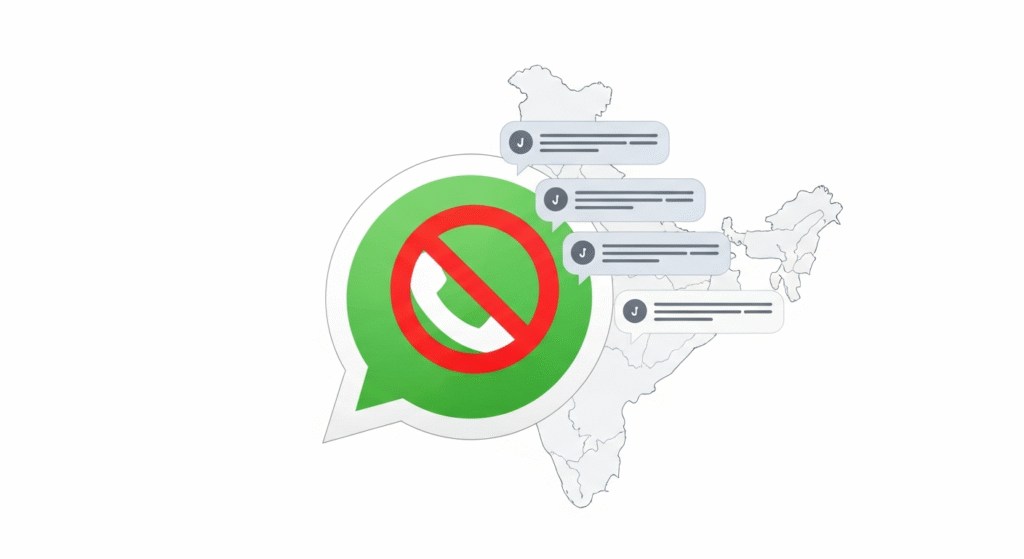
Effective April 1, 2025, Meta has temporarily paused all Marketing template delivery to WhatsApp users with Indian phone numbers (+91 country code).
If you send a Marketing template message to a WhatsApp user with an Indian phone number, the request will return an error.
👉 Marketing templates are still fully allowed for all other regions, including the U.S. (+1).
Marketing Templates Are Commonly Used For:
- Promotions & discounts
- Awareness campaigns
- Retargeting
- App promotions
- Customer relationship messages
Examples:
Awareness:
“Did you know we launched a new service in your area? Learn more: {{link}}.”
Sales:
“Enjoy 15% OFF today! Use code SAVE15. Shop now: {{link}}.”
Retargeting:
“You left something in your cart 👀 Complete your purchase now: {{link}}.”
App Promotion:
“Download our app and get 20% off: {{link}}.”
Relationship Building:
“Happy Birthday, {{Name}}! Wishing you a great year ahead.”
📦 Utility Templates (Transactional, User-Triggered Messages)
Utility templates are used for transactional updates, not for promotion.
They must be triggered by a user event or user action.
Examples of Utility Purposes:
📌 Opt-In Management
- “Thanks for opting in. You will now receive WhatsApp notifications.”
📦 Order Management
- “Your order {{order_id}} has been confirmed.”
- “Your package is out for delivery. Track: {{tracking_id}}.”
🔔 Account Alerts & Updates
- “Your subscription renews on {{billing_date}}.”
- “A weather alert has been issued for your location.”
📝 Feedback Surveys
- “Please share your feedback: {{survey_link}}.”
🔄 Continue Conversations
- “We’re continuing your support request here. How can we help?”
The key:
👉 No marketing tone. No excitement. No benefits. No promotions.
🔎 Why Templates Get Rejected
Templates may be rejected because of:
- Improper classification
- Promotional elements in Utility templates
- Using only placeholders (e.g., “{{variable}}”) without context
- URLs or emojis in Authentication templates
- Unclear, vague, or incomplete messages
- Policy violations
Always review Meta’s policies before submission.
📝 Frequently Asked Questions (FAQs)
1. Why do businesses need WhatsApp message templates?
Because WhatsApp requires pre-approval for any business-initiated message to prevent spam.
2. Can I edit a template after it’s approved?
No. You must submit a new template.
3. Can a template include mixed content?
If it mixes utility + marketing → it becomes Marketing.
4. Who decides whether a template is Utility or Marketing?
Meta, not Chati, not your API provider, and not your automation tool.
5. Why are Authentication Templates failing?
Because your business hasn’t reached the required 2,000 daily messaging limit or hasn’t completed verification.
🧠 Final Thoughts
WhatsApp has tightened its rules — and businesses must adapt.
Understanding these template categories helps you:
✔ Avoid rejections
✔ Lower messaging costs
✔ Improve delivery rates
✔ Stay compliant
✔ Maintain a smooth customer experience
Using the right wording is now essential. Small changes can shift your message from Utility → Marketing, impacting cost and approval.
If your business needs help creating compliant templates or setting up WhatsApp API workflows, Prominds Digital and Chati provide full support in onboarding, automation, template submission, and compliance.