
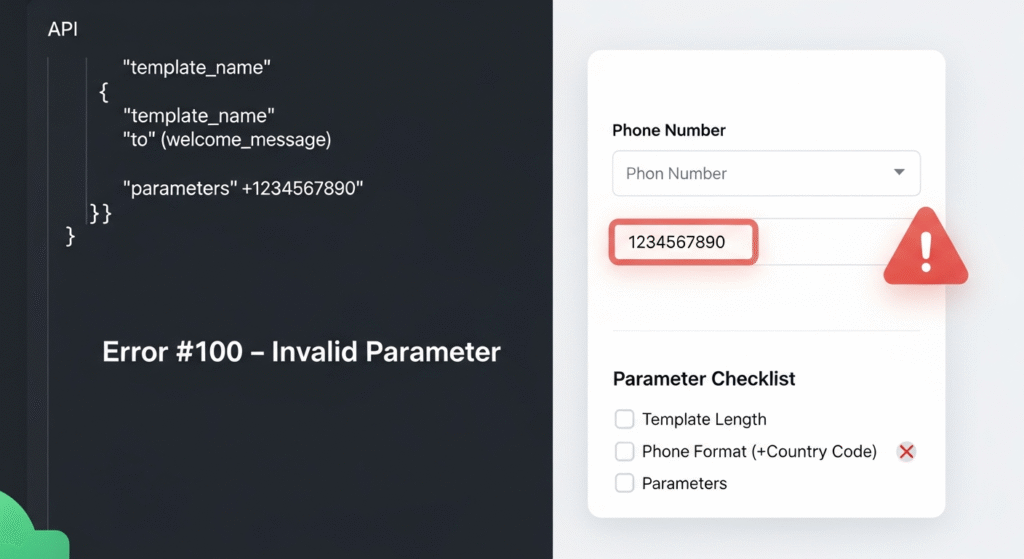
❌ WhatsApp Error (#100) Invalid Parameter: Causes, Fixes & Best Practices.
If you’re working with the WhatsApp Business API and suddenly see Error (#100) Invalid Parameter, don’t panic. This is one of the most common WhatsApp API errors and usually means something in your request is formatted incorrectly.
The good news?
It’s almost always fixable once you know where to look.
This blog breaks down why this error happens, the most common causes, and step-by-step solutions to resolve it quickly.
🔍 What Does WhatsApp Error (#100) Mean?
The Invalid Parameter (#100) error indicates that one or more parameters in your API request don’t meet WhatsApp’s required format, length, or validation rules.
This can include issues with:
- Message templates
- Parameter values
- Phone number format
- Language codes
- Account (WABA) status
Meta rejects the request to prevent malformed or non-compliant messages from being sent.
🚨 Common Causes & How to Fix Them
1️⃣ Message Template Issues (Most Common)
❌ Problem:
- Template name or body text is too long
- Total message content exceeds limits (e.g., 1024 characters)
- Text variables exceed allowed length (often 30 characters per parameter)
✅ Solution:
- Shorten template names (use versioning like
order_update_v2) - Reduce message body length
- Trim parameter values using a formatter (Zapier, Make, etc.)
- Shorten long URLs using a link shortener
2️⃣ Incorrect Phone Number Format
❌ Problem:
Using 00 before the country code (e.g., 0033xxxxxxxx) instead of the international format.
✅ Correct Format:
+CountryCodePhoneNumber
✅ Example:
- ❌
0091XXXXXXXXX - ✅
+91XXXXXXXXX
This is one of the fastest ways to trigger Error #100.
3️⃣ Missing or Incorrect Template Parameters
❌ Problem:
For template messages, required parameters are:
- Missing
- Misspelled
- Not properly defined in the
componentssection
Example:
- Missing
parameter_name - Incorrect order of variables
✅ Solution:
- Double-check the components → parameters structure
- Match parameter count and order exactly as approved in the template
- Ensure correct spelling and casing
Always cross-check with Meta’s API documentation.
4️⃣ WhatsApp Business Account (WABA) Under Review
❌ Problem:
If your WhatsApp Business Account is newly created, Meta may still be reviewing it.
During this period:
- Messages may fail
- Numbers may not link properly
- Templates may error out
✅ Solution:
- Wait for Meta’s WABA review to complete
- Avoid heavy testing during the review phase
- Confirm business verification status in Meta Business Manager
5️⃣ Template Naming Conflicts
❌ Problem:
Using a template name that:
- Was previously used
- Was deleted earlier
- Exists in another language
Meta doesn’t allow reusing template names.
✅ Solution:
- Always use a completely new, unique name
- Add versions or timestamps
- Example:
payment_reminder_v3_2025
- Example:
6️⃣ Language Code Issues
❌ Problem:
Sometimes a template fails due to language-specific issues.
Example:
- Using
en_USwhen the template was approved underen_GB
✅ Solution:
- Try switching language codes
- Ensure the language code exactly matches the approved template version
🛠️ General Troubleshooting Steps
If you’re unsure what’s causing the error, follow this checklist:
✅ 1. Read the Exact Error Message
Meta often tells you which parameter is invalid (e.g., body, parameter_name).
✅ 2. Review Meta API Documentation
Always verify:
- Endpoint requirements
- Required fields
- Parameter formats
✅ 3. Test with a Simple Template
Create a basic template like:
Hello {{1}}, this is a test message.
This helps rule out content complexity.
✅ 4. Validate Every Field
Check:
- Character limits
- Required fields
- Correct data types
🧠 Best Practices to Avoid Error (#100)
✔ Keep templates short and clean
✔ Use proper international phone number format
✔ Avoid reusing template names
✔ Match parameters exactly
✔ Don’t rush messaging during WABA review
✔ Test templates before scaling campaigns
🚀 Final Thoughts
The WhatsApp Error (#100) Invalid Parameter is frustrating—but it’s also one of the easiest errors to fix once you understand WhatsApp’s strict validation rules.
Most issues come down to:
- Formatting
- Length limits
- Naming conflicts
- Missing parameters
By following best practices and double-checking your API requests, you can avoid this error entirely and ensure smooth WhatsApp message delivery.
If you need help troubleshooting WhatsApp API errors, template approvals, or WABA setup, Prominds Digital can assist with end-to-end WhatsApp API integration and compliance.